GO Beijing travel: How to use WeChat Pay
As China’s most popular super app, WeChat is far more than a messaging tool—it’s the backbone of cashless payments in cities like Beijing. From tiny hutong stalls and local taxis to convenience stores and cafes, WeChat Pay is accepted almost everywhere. The best part? You don’t need a Chinese bank card to activate it. This…
As China’s most popular super app, WeChat is far more than a messaging tool—it’s the backbone of cashless payments in cities like Beijing. From tiny hutong stalls and local taxis to convenience stores and cafes, WeChat Pay is accepted almost everywhere. The best part? You don’t need a Chinese bank card to activate it. This guide is tailored for Western travelers, breaking down setup steps, payment methods, tips, and troubleshooting to help you use WeChat Pay seamlessly.
1. Key Preparation Before Setup
Gather these essentials first to avoid delays during the setup process:
- A valid international phone number (your home country number works for registration).
- An international credit/debit card (Visa, Mastercard, American Express, JCB, or Diners Club is supported; Discover has limited compatibility.
- Your passport (mandatory for identity verification—ensure the name on your card matches your passport).
- The latest version of WeChat (download from the App Store or Google Play; update if you already have the app).
Pro tip: Set up WeChat Pay 3-5 days before your trip. Identity verification can take up to 24 hours, and this buffer time lets you fix any issues before arriving in Beijing.
2. Step-by-Step Setup for WeChat Pay
WeChat’s payment function is integrated into its messaging interface, which differs slightly from Alipay. Follow these clear steps to activate it:
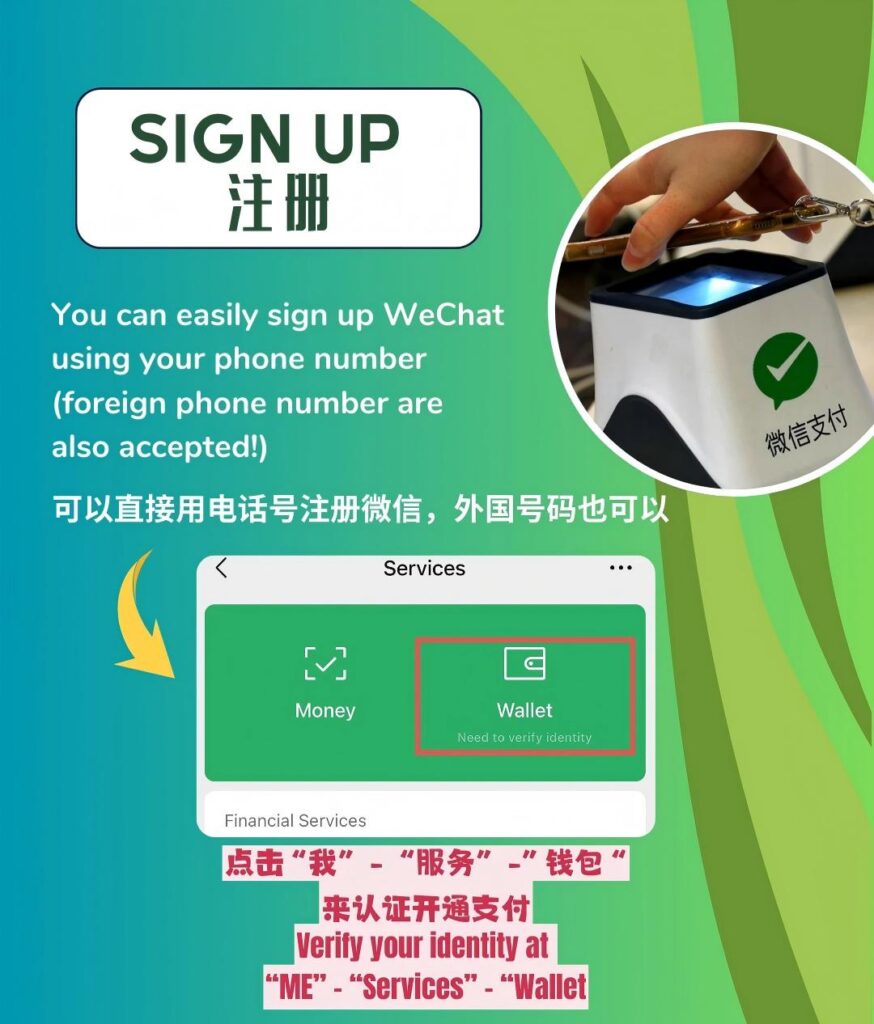
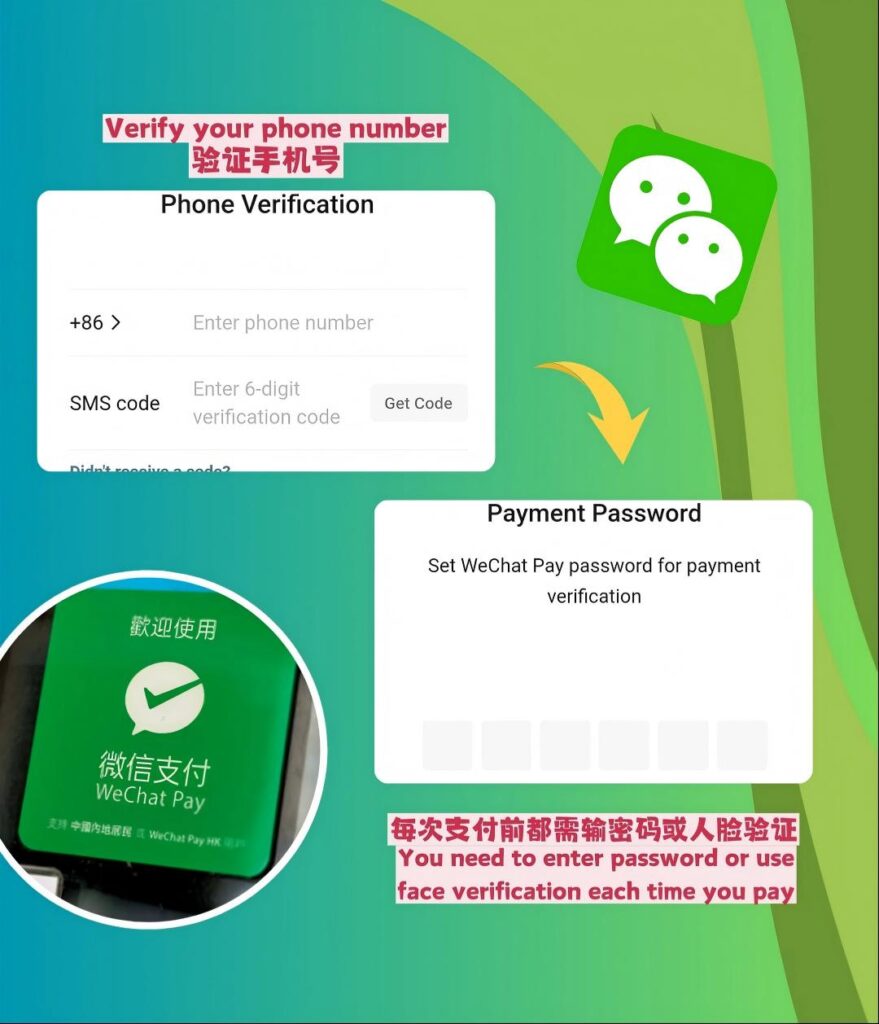
1. Open WeChat and log in with your international phone number. If you’re new, complete the initial registration by verifying your phone number via SMS.
2. Tap the “Me” tab at the bottom right corner. Select “Services” (older versions may label this “Wallet”; if hidden, go to “Settings” > “General” > “Auxiliary Functions” to enable it).
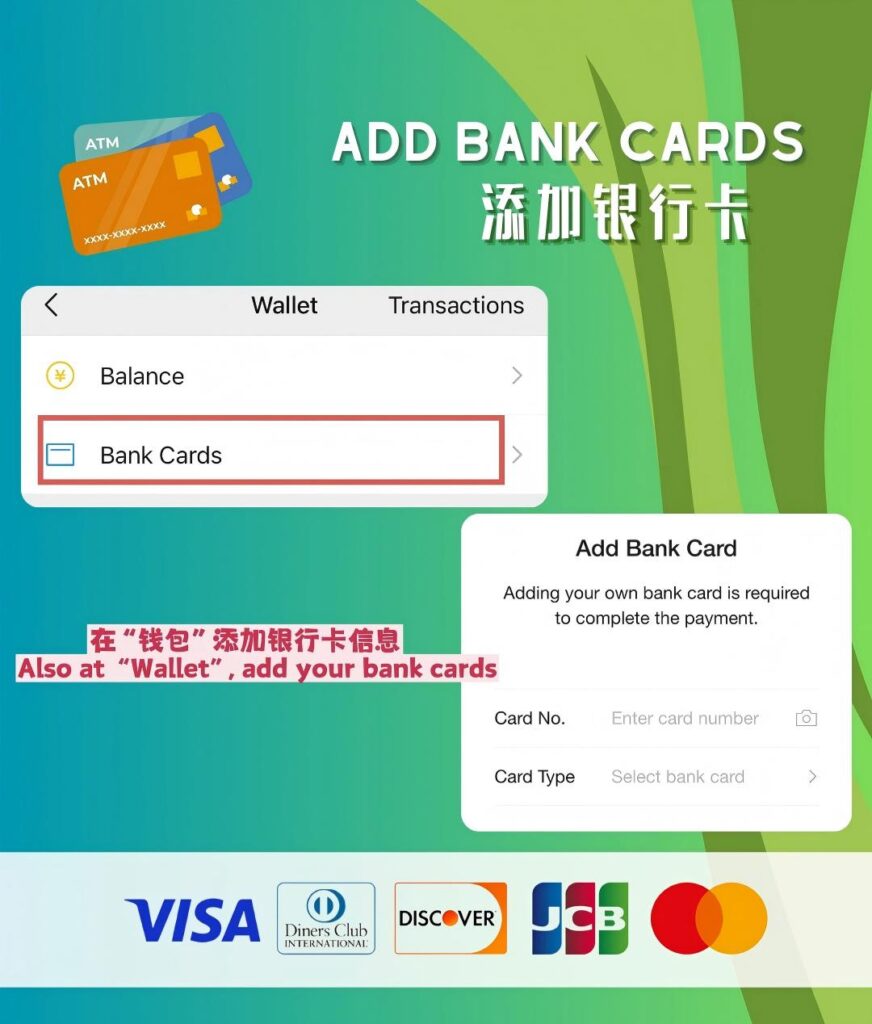
3. In the Services/Wallet section, tap “Wallet” and then “Add Bank Card”. Read and agree to the user terms and conditions.
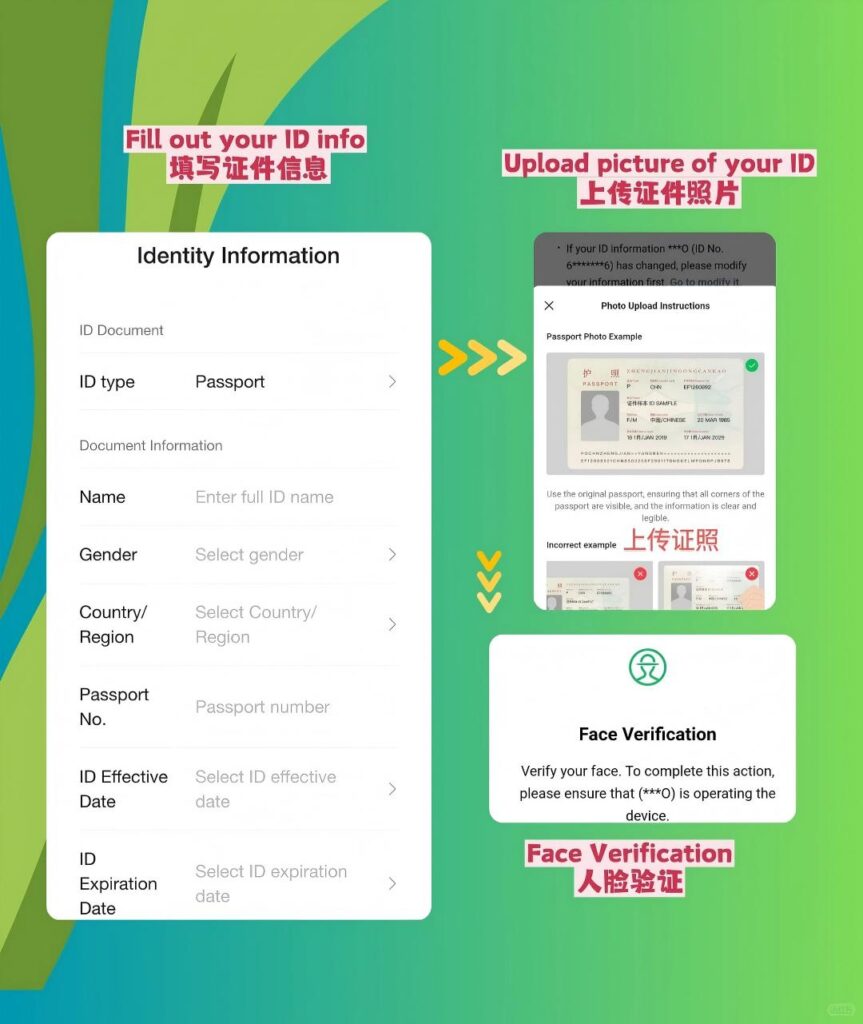
4. Complete identity verification: Enter your full name (exactly as it appears on your passport), upload a clear photo of your passport’s main page, and fill in your current address (avoid commas or special characters in the address field).
5. Once verified, enter your international card details (card number, expiry date, CVV code) and confirm the binding via SMS verification from your bank.
Important Note: With an international card, you can only use WeChat Pay for direct merchant payments. You cannot top up your WeChat Wallet balance, send money to other individuals, or transfer funds to bank accounts.
3. How to Make Payments with WeChat Pay
WeChat Pay uses QR codes for transactions, and the process is intuitive for both scenarios:
– Merchant scans your code: Open WeChat, tap “Services” > “Pay” to display your personal QR code. The merchant will scan this code, and the payment amount will be deducted from your international card automatically.
– You scan the merchant’s code: Tap the “Scan” icon at the top right of WeChat’s homepage, align it with the merchant’s QR code, enter the payment amount manually, and confirm the payment.
Bonus: WeChat’s “Quick Pay” feature lets you add the payment function to your phone’s home screen for faster access—ideal for busy markets or taxi rides in Beijing.
4. Fees, Limits, and Money-Saving Tips
Understanding WeChat Pay’s rules helps you avoid unexpected costs and maximize your budget:
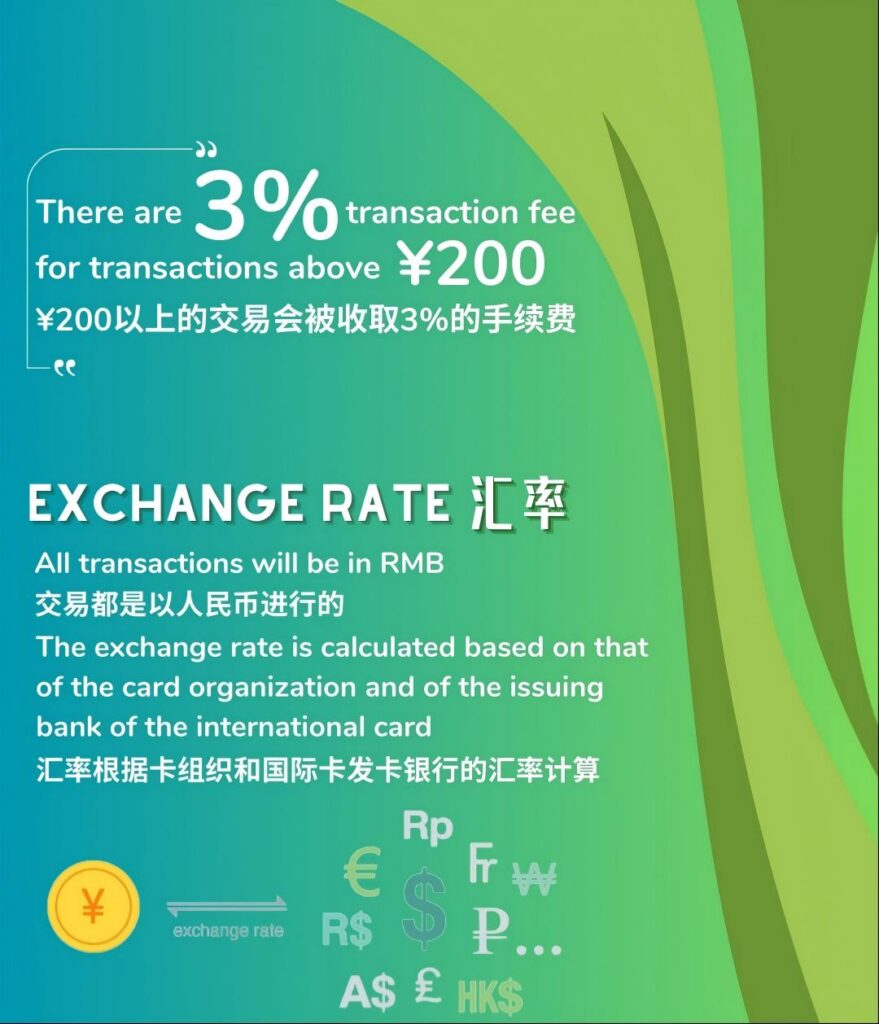
- Fees: Transactions under 200 RMB are fee-free. For amounts exceeding 200 RMB, a 3% international transaction fee is applied. Ask merchants to split large purchases into smaller transactions to waive this fee.
- Limits: The single transaction limit is up to 5,000 RMB (~800 USD), with an annual cap of 100,000 RMB (~16,000 USD)—more than enough for most travelers’ daily expenses in Beijing.
- Exchange rates: Rates are determined by your bank or card issuer, not WeChat. Check your card’s international transaction policy in advance to choose the one with the most favorable rates.
5. Common Issues and Fixes
Even with a successful setup, you may face minor hurdles. Here’s how to resolve them quickly:
- Payment failed: Contact your bank to unblock cross-border transactions—many banks restrict payments to Chinese merchants by default. Also, ensure your card has a sufficient balance and is not expired.
- Verification rejected: Double-check that your name matches your passport exactly (no abbreviations). If rejected again, re-upload a clearer photo of your passport and try again.
- Merchant can’t scan your code: Some older QR code scanners may not support foreign-linked WeChat Pay. In this case, switch to scanning the merchant’s code instead, or use cash as a backup.
6. Final Recommendations for Beijing Travelers
Make the most of WeChat Pay during your Beijing trip with these targeted tips:
- WeChat Pay is the top choice for local vendors: Hutongs, street food markets, and small family-run shops in Beijing prefer WeChat over other payment methods.
- Link WeChat to Didi: Use WeChat Pay to book and pay for Didi taxis directly—this avoids the hassle of carrying cash for transportation.
- Keep a small cash reserve: Carry 500-1,000 RMB in cash for rural areas or very small vendors who may not accept digital payments.
With this guide, you’ll navigate Beijing’s cashless landscape effortlessly using WeChat Pay—no Chinese bank card needed. Enjoy your authentic Beijing travel experience!