Beijing Travel Payment Guide: How Foreigners Can Use Alipay QR Code Payments
Still struggling with cash payments while traveling in China? Now, with just two simple steps, you can pay like a local using Alipay! Whether shopping, dining, or getting around, one phone handles it all.
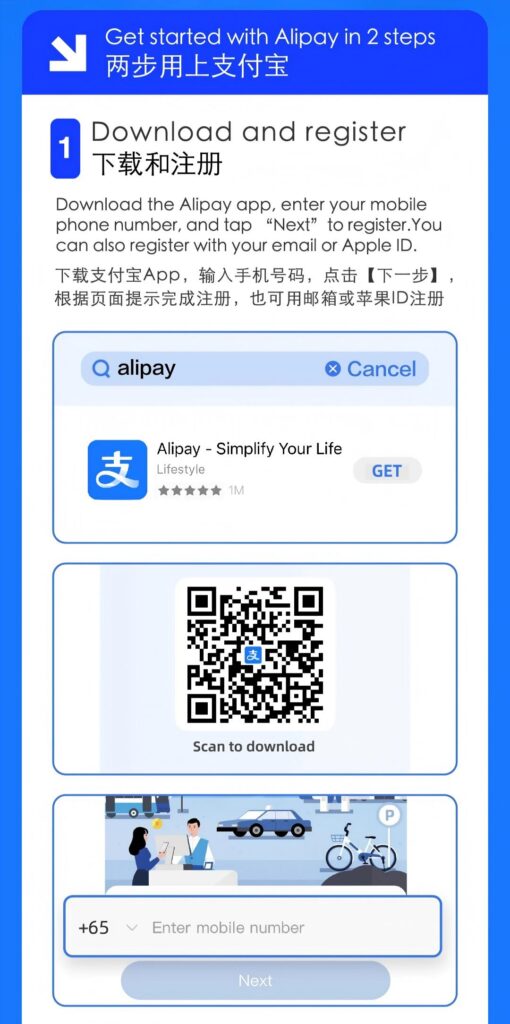
Step 1: Download and Register Alipay
1. Search for “Alipay” in the App Store or Google Play and download the app (supports iOS and Android).
2. Open the app and register using your international mobile number or email address (e.g., Gmail, Outlook). Follow the prompts to complete verification. Some users may select the “International Version” for an interface better suited to overseas travelers.
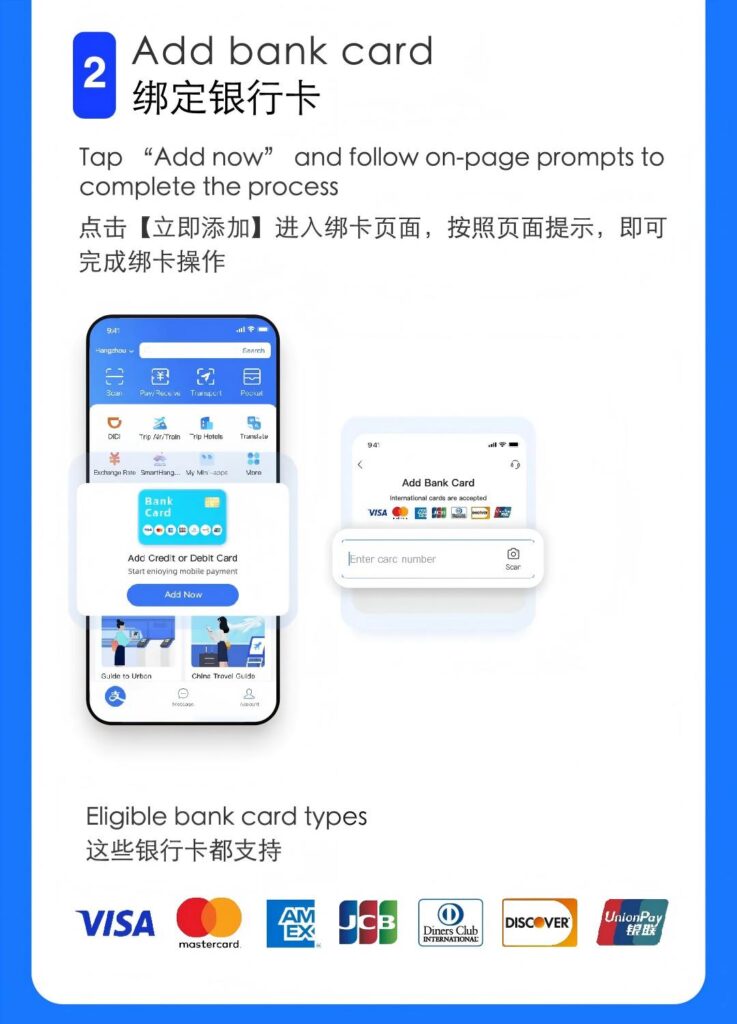
Step 2: Link Your International Bank Card
1. After logging in, tap 【Me】 at the bottom right to access your profile. Select 【Bank Cards】 → 【+ Add new bank card】.
2. Enter your bank card details (supports major international cards like Visa, Mastercard, JCB, Diners Club).
3. Fill in personal information matching your bank card and complete the binding via SMS verification.
Tips for Use
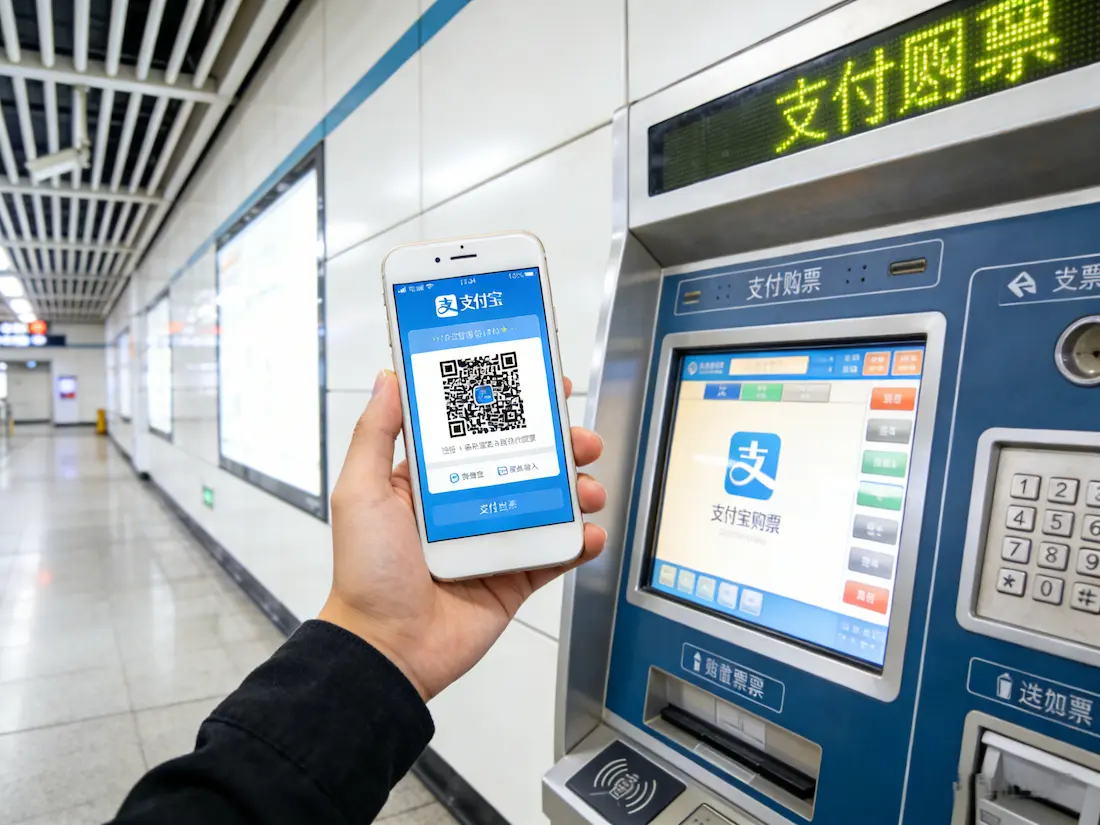
- How to Pay: Scan the merchant’s QR code or present your payment code for the merchant to scan.
- Applicable Scenarios: Works at most offline stores, taxis, subways, and other consumption venues displaying the Alipay logo. Note: The International Version currently does not support red packets, transfers, or wealth management features.
- Exchange Rate Note: Payments are settled at the real-time exchange rate provided by your issuing bank. The final amount charged will be reflected on your statement.
- Mobile Number Note: Use your international number during registration. Upon arrival in China, easily update to a local number in Settings.
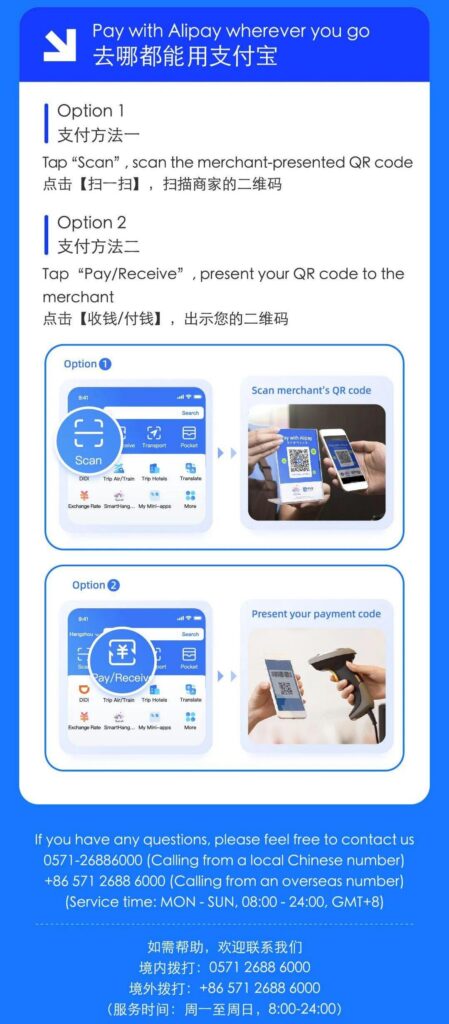
Step-by-step instructions with illustrations are provided—follow the guide to complete setup effortlessly!
Activate Alipay now for seamless travel in China—shopping, transportation, dining—all at your fingertips!