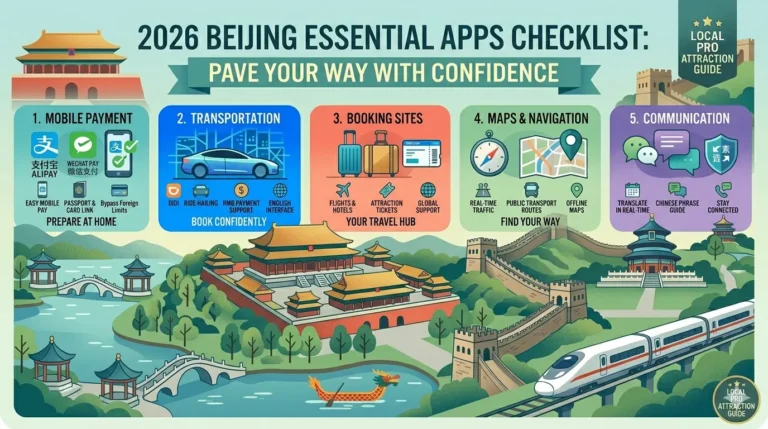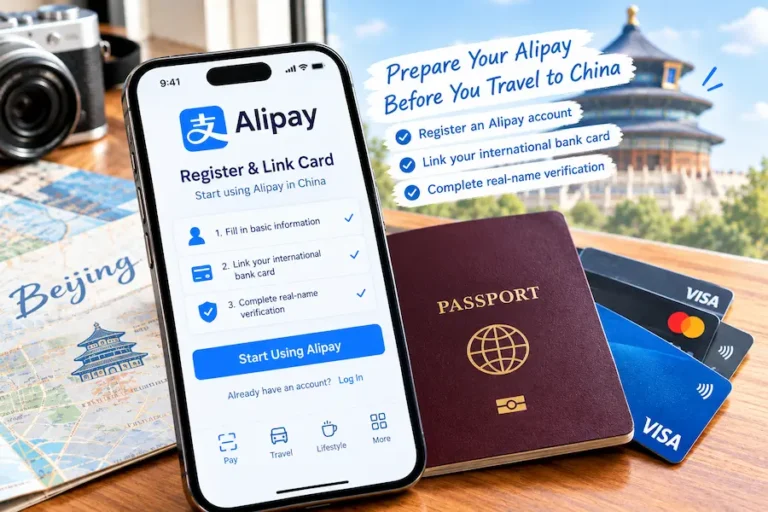
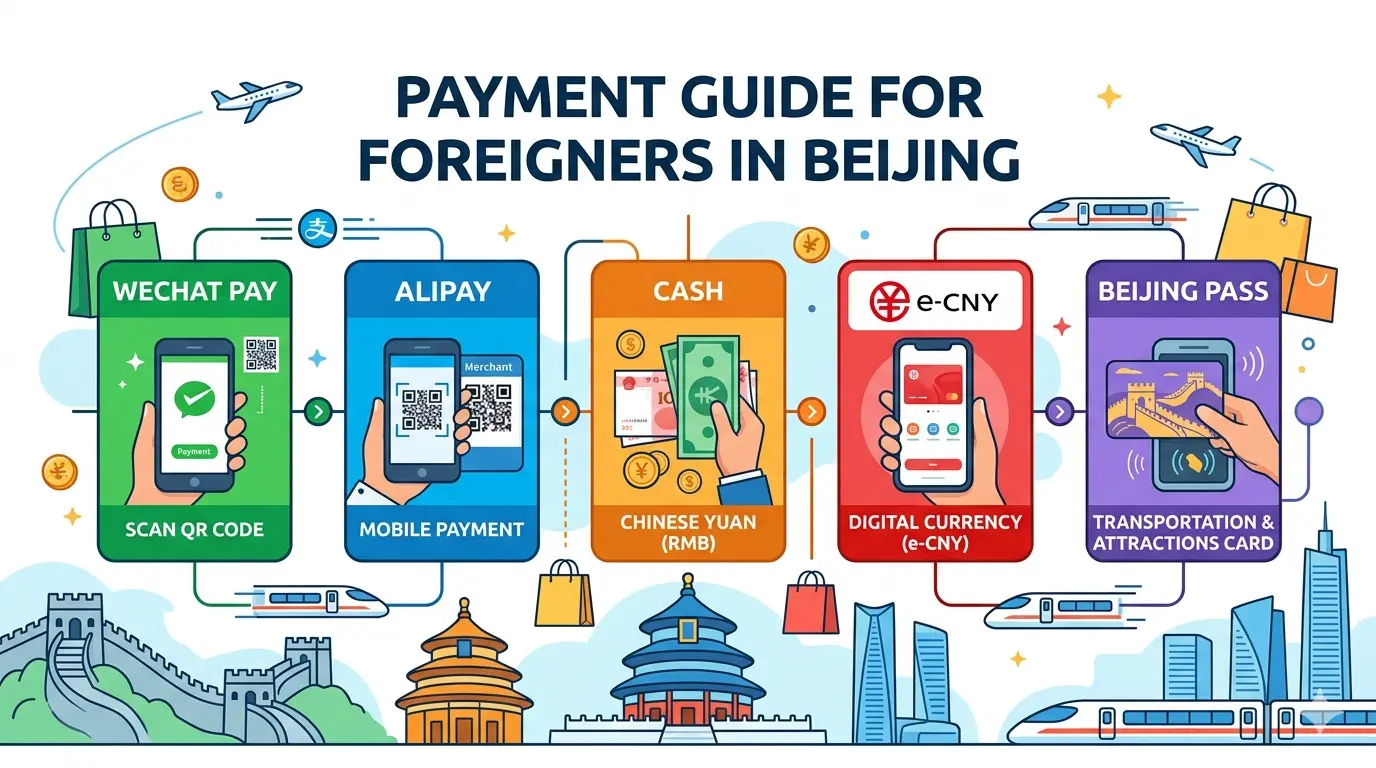
The Ultimate Guide to Payments for Foreign Visitors in Beijing in 2026: How to Set Up Alipay and WeChat Pay—Step-by-Step Instructions
Last Updated: May 2026
In China, not being able to pay “online” is like being without legs. Payment apps aren’t high-tech gadgets—they’re everyday tools for getting through life.
The good news is: In 2026, the payment environment for international visitors is more welcoming than ever.
The transaction limit has been raised to $5,000, policies explicitly require merchants to accept cash, and the process for linking foreign credit cards is much simpler than before.
After reading this guide, you’ll be able to make payments in Beijing with ease.
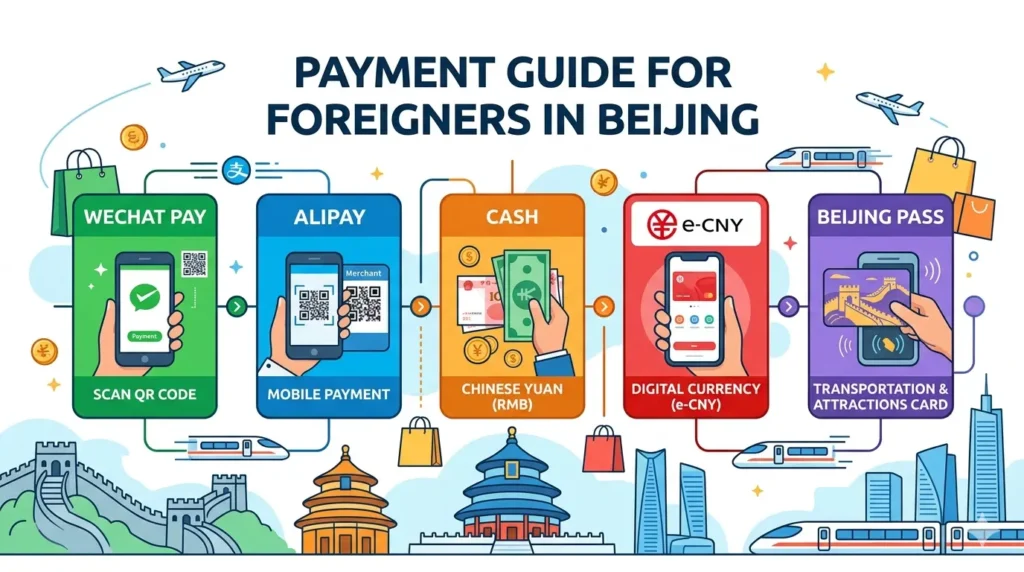
I. A Quick Overview: 4 Ways to Pay in China
| Payment Method | Recommended For | Description |
| Alipay | All travelers (preferred) | User-friendly international interface; well-established process for linking foreign credit cards |
| WeChat Pay | All travelers | Takes up space in the WeChat app, but offers the widest coverage |
| Cash | All travelers (backup) | Legal tender, but street vendors may not have change |
| e-CNY | Tech enthusiasts | Digital cash issued by the central bank, with zero fees for large transactions |
II. Alipay vs. WeChat Pay: Which One Should I Choose?
Almost everyone in China uses these two apps. By 2026, international tourists will be able to easily link their foreign credit cards to both platforms. Here’s a quick comparison:
| Comparison | Alipay | WeChat Pay |
| Registration Interface | Features a dedicated “International Version ” is beginner-friendly | Set up within the app; some interfaces are in Chinese |
| Card Linking | Clear steps; fast verification | Slightly more steps, but equally feasible |
| Review Time | As fast as a few minutes, up to 72 hours | Similar |
| Supported Card Networks | Visa, Mastercard, JCB, Discover | Visa, Mastercard, and 5 other major networks |
| Transaction Fees | Up to 200 RMB: Free; Over 200 RMB: Approx. 3% | Up to 200 RMB: Free; Over 200 RMB: approx. 3% |
| Additional Features | Ride-hailing, purchasing attraction tickets, booking hotels, ordering takeout | Similar to Alipay; can be done via “Mini Programs.” |
| Small-amount Transfers | Limited functionality (Users with foreign cards cannot transfer funds to individuals) | Limited functionality |
My recommendation:
- Install both. Some small shops only support one of them, so it’s safer to have both. Plus, you can link the same foreign credit card to both.
- If you’re only installing one, if your first stop is Beijing, Alipay is more user-friendly for new users.
- Install it in your home country before you leave, and register using your local phone number to complete identity verification.
III. Alipay: A Step-by-Step Guide to Getting Started
3.1 Download the App
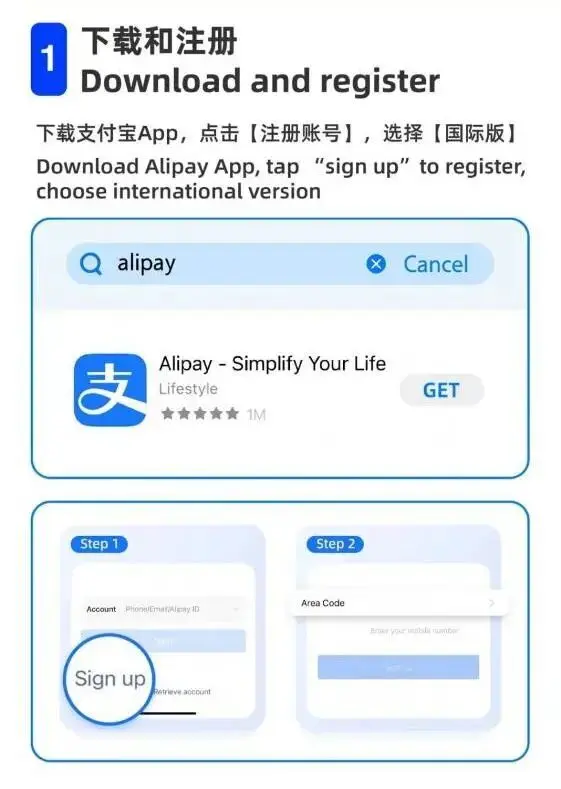
Search for “Alipay ”or “Alipay” in your phone’s app store (App Store for iOS / Google Play for Android), then download and install it.
3.2 Create an Account
1. Open the app and tap “Me” (My Profile)
2. Tap “Login/Sign Up” at the top
3. Select “Sign Up.”
4. Register using your home country’s phone number (e.g., +1 for the U.S. or +44 for the U.K.)—you’ll receive a text message. You don’t need to get a Chinese phone number (though it’s more convenient to buy a local SIM card once you arrive in Beijing; we’ll cover that later)
5. After entering your phone number, you’ll receive a verification text message. Enter the verification code
3.3 Enabling the International Version
Go to “Me” → “Settings” → “ General,” find the language option, and switch to English. If the international version of the app comes with an English interface by default, you may not need to set this manually.
3.4 Identity Verification (The most important step—many people get stuck here)
1. Go to “Me” → “Account & Security” → “Identity Verification”
2. Select your ID type—choose “Passport.”
3. Upload a clear photo of your passport page, ensuring all four corners are visible
4. Complete facial recognition as prompted—find a well-lit area and face the phone’s camera directly
Verification is typically completed within this timeframe: as fast as a few minutes (automatic review) or no longer than 72 hours (if transferred to manual review).
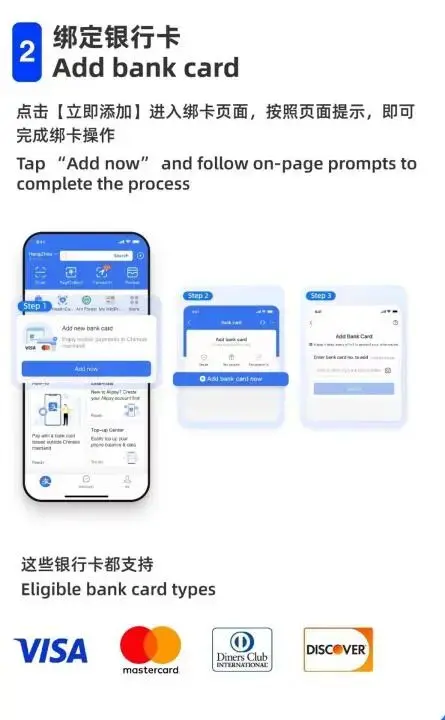
3.5 Link an International Credit/Debit Card
1. Go to “Me” → “Bank Cards.”
2. Tap “Add Bank Card” or “+.”
3. Enter your credit or debit card number—we support international card networks such as Visa, Mastercard, JCB, Discover, and Diners Club
4. Enter the card’s expiration date and CVV/CVC code (the 3-4 digit number on the back of the card)
5. Your bank will send a one-time password (OTP) via text message to the mobile number you have on file with them. Enter the OTP to complete the card linking process.
Note
Not all merchants accept Alipay payments with foreign cards, but this is generally not an issue at merchants, chain stores, and large shopping malls in the most popular tourist cities.
3.6 Transaction Limits (Latest Policy as of 2026)
- Single Transaction Limit: For verified foreign users, the single transaction limit has been raised to $5,000, with an annual limit of $50,000
- Fee Policy: Transactions under 200 RMB are fee-free; transactions over 200 RMB incur a foreign card processing fee of approximately 3%
- We recommend making purchases from the same merchant. If the total exceeds 200 RMB, splitting the payment into multiple transactions can help avoid fees
- For large purchases (items costing over 2,000 RMB), you can use Digital Yuan (e-CNY) to pay with 0% fees
IV. WeChat Pay: A Step-by-Step Guide to Getting Started
4.1 Download and Registration
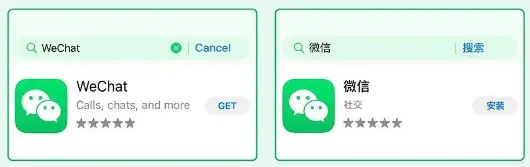
1. Search for “WeChat” in your phone’s app store and download it.
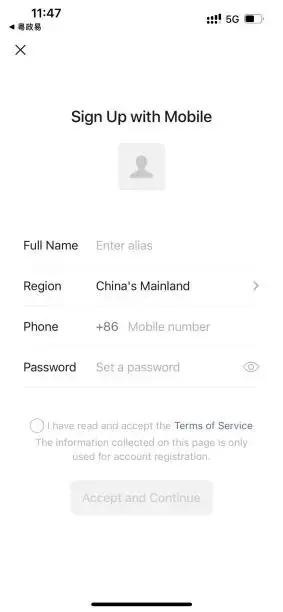
2. Register using your local phone number (just like Alipay).
3. After logging in, find “Me” at the bottom of the home screen.
Note
WeChat Pay is a feature integrated into the WeChat app; you do not need to download a separate WeChat Pay app.
4.2 Enabling WeChat Pay
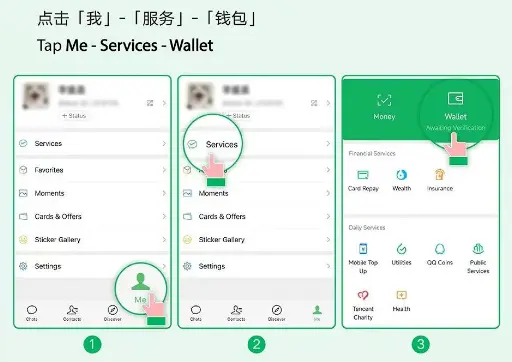
1. On the “Me” page, tap “WeChat Pay” or “Services.”
2. You may be prompted to set up a payment password. Follow the prompts to set a 6-digit payment password (this is different from your login password).
3. If you don’t see the “WeChat Pay” option in the bottom-left corner of your WeChat home screen, go to “Me” → “Settings” → “General” → “Language,” switch the language to Chinese, restart the app, and check again
4.3 Linking a Foreign Card
1. On the “Services” page (or “Wallet” in some versions), tap “Bank Cards” or “Add a Bank Card.”
2. Select “Add a new card.”
3. Enter your credit or debit card number—the app supports international cards from 7 major card networks, including Visa and Mastercard
4. The system will require identity verification—upload a photo of your passport page and complete facial recognition
5. Review typically takes less than 24 hours, though it can be approved in just a few minutes
4.4 Transaction Fees
- Same rules as Alipay: Transactions under 200 RMB are fee-free; a foreign card processing fee of approximately 3% applies to amounts exceeding 200 RMB
- The official platform occasionally offers fee waiver promotions; check the app prompts at checkout for details
4.5 Special Cases: If You Already Have an Overseas E-Wallet (Used Domestically)
WeChat Pay has established interoperability partnerships with over 29 overseas wallets. Users holding these partner wallets can, upon arriving in China, directly use their familiar wallet app to scan WeChat payment QR codes or display a payment code within the wallet app to make payments.
Currently supported wallets from 13 countries and regions include: LiquidPay (Singapore), Zalopay and MOMO (Vietnam), BCEL (Laos), Hipay (Mongolia), and more…
“GO BEIJING”: The Official One-Stop Platform (Highly Recommended)
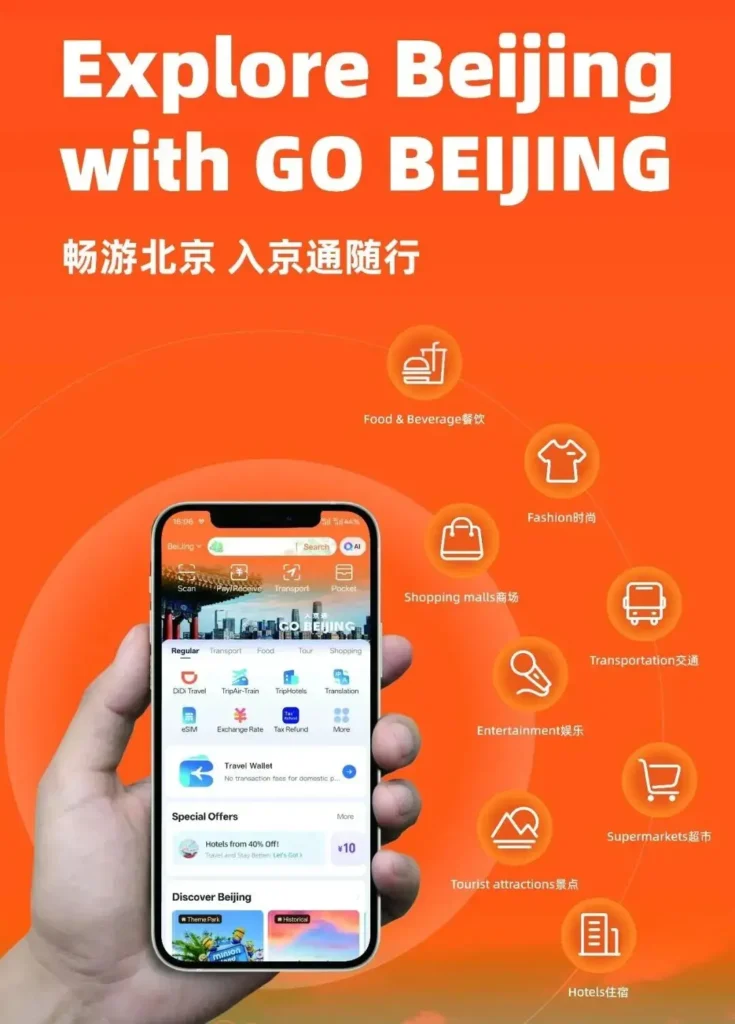
If you want a single app to handle nearly every aspect of your stay in Beijing—from pre-trip planning and on-site payments to sightseeing, tax refunds, and emergency assistance—then “GO BEIJING” is the one app you absolutely shouldn’t miss.
This is not merely a payment tool, but an official one-stop comprehensive service platform launched by the Beijing Municipal Government, designed to “string together” all the scattered travel services. You can think of it as Beijing’s “super app.”
5.1 Why Do You Need It?
Simply put, it solves the two biggest headaches for foreign tourists: “switching between apps is too cumbersome ”and“ payment fees.”
| Comparison | “Rujing Tong” Platform | Traditional Methods (Alipay/WeChat Pay/Cash) |
| Core Focus | Comprehensive, all-scenario services (39 features) | Primarily focused on payments |
| Transaction Fees | 0% fee for domestic spending (via“Travel Wallet”) | Approx. 3% fee for transactions over 200 RMB |
| Language Support | 16-language interface + AI translation | Primarily English |
| Key Features | One-click tax refund, AI tour guide, eSIM, official assistance | Features are relatively scattered |
| Usage Requirements | No need to link a foreign card (just activate “Travel Wallet”) | Requires linking and verifying a foreign card |
A Ukrainian woman named Karyna summed up her experience with one word: seamless. She used to have to switch between several apps on her phone, but now she only needs this one to plan her itinerary in just a few minutes.
5.2 How to Find and Use It?
Here’s the best part: you don’t need to download a separate app. It’s built right into the Alipay International app you already have installed.
Step 1: Find the Entry Point
- – Open the Alipay app (International version).
- – On the home page or in the “Travel” section, find the “GO BEIJING” mini-program entry point. You can also search for “GO BEIJING” directly on the Alipay home page.
Step 2: Explore the Core Features
Once inside, you’ll see a clear main interface where all features are laid out at a glance:
1. Beijing Travel Gift Pack: Be sure to tap this before you go! You can claim free coupons for hotels, tickets, rides, luggage storage, and more.
2. Explore Beijing: Check out officially recommended attractions, shows, and exhibitions, as well as travel guides shared by other travelers. Let the AI assistant “Jingjing” help you plan a personalized itinerary.
3. Travel Wallet: Key feature! This is a prepaid wallet with zero transaction fees. You can transfer funds from overseas in advance and spend them directly in Beijing, perfectly avoiding the 3% foreign card processing fee. It’s especially suitable for large purchases.
4. One-Tap Tax Refund: After shopping at stores that support “Buy Now, Refund Later” (such as “Beijing Gifts” stores), simply “tap” your phone against the tax refund terminal card to have your refund credited to Alipay in as little as 2 minutes.
5. Beijing Services: If you encounter any issues, you can find official guidelines here or connect directly to the 12345 Citizen Hotline through the platform to receive official assistance.
5.3 “Travel Wallet” Explained: How to Make Fee-Free Payments?
This is the most recommended payment innovation for foreign tourists in 2026. The comparison with payments made via linked foreign cards is very straightforward:
| Comparison Item | “Rujing Tong” Travel Wallet | Linked Foreign Card Payments (Alipay/WeChat Pay) |
| Process | ①Activate on the platform before departure ②Top up via international money transfer ③Spend directly upon arrival in Beijing | ①Download the app ②Upload passport for verification ③Link foreign card ④Pay |
| Fees | 0% (only bank fees in your home country may apply when transferring funds) | 3% for transactions over 200 RMB |
| Use Cases | All merchants that accept Alipay, subway rides, and ticket purchases | All merchants that accept Alipay/WeChat Pay |
| Recommended Uses | Large purchases (e.g., luxury goods, jewelry, electronics) | Small, incidental payments (e.g., water, snacks) |
Let’s do a quick calculation: If you plan to spend $1,000 (approximately 7,000 RMB) on shopping, using a foreign card would incur a fee of about 210 RMB. By using “Travel Wallet,” you can save that fee.
How to get ready before departure?
1. Go to the “Ruijing Tong” platform in Alipay.
2. Find the “Travel Wallet” feature and activate it by following the prompts. This service is currently available to users in over 40 countries and regions.
3. Transfer funds for your trip to China from your bank account in your home country to this “Travel Wallet.”
5.4 Integration with Other Official Service Portals
“Go Beijing” does not operate in isolation; it forms a comprehensive service network alongside three other official portals. We recommend using them in combination:
- “Go Beijing” platform (within Alipay): For dining, entertainment, and travel during your stay in Beijing. This will be your most frequently used tool.
- Beijing International Portal (english.beijing.gov.cn): For gaining a comprehensive understanding of Beijing before your trip. It provides policy, tourism, and lifestyle information in 10 languages.
- “JingTong” App (English Version): For handling specific government affairs. It offers over 30 services, such as booking hospital appointments and applying for SIM cards online. It can also automatically recognize your passport information to simplify registration.
- “Beijing Services” Airport Service Desks: Your first stop upon arrival. Located in the arrival halls of Capital or Daxing International Airports, you can receive in-person assistance from staff here, including help with downloading the app, inquiries about using the “Jingtong” app, purchasing SIM cards, and exchanging foreign currency.
5.5 Practical Tips
1. Before Departure (Most Important!):
- Find the “Ruijing Tong” platform in Alipay.
- Claim the “Beijing Travel Gift Pack” coupon.
- Activate the “Travel Wallet” and top it up for planned large purchases.
- Consider purchasing an eSIM card through the platform to have internet access as soon as you arrive.
2. Upon Arrival at Beijing Airport:
- Head straight to the “Beijing Service ”airport service counter to pick up a “Beijing Welcomes You” gift pack (which may include a map or small souvenirs), and verify on-site that all features are working properly.
3. Daily Use:
- Small, occasional purchases: Use Alipay or WeChat Pay linked to a foreign credit card (no fees for transactions under 200 yuan).
- Large single transactions: Use the “Travel Wallet” in the “Enter Beijing Pass” app (0% service fee).
- After shopping: At stores that support “Buy Now, Refund Later,” use the “Tap to Refund” feature in the “Enter Beijing Pass” app to claim your tax refund.
- If you encounter difficulties, open the “Beijing Services” section in the “Enter Beijing Pass” app to seek official assistance.
VI. Alternative Payment Methods
6.1 Cash—A Safety Net Enshrined in Law
Effective February 1, 2026, national policy officially requires all brick-and-mortar merchants to accept cash in RMB—meaning that if a merchant claims they do not accept cash, you can insist that they do.
- Where to Exchange Cash: At “Foreign Currency Exchange” counters in domestic airports, bank branches (Bank of China is recommended), and some hotel lobbies
- Exchanging Cash at Beijing Airports: Both Capital Airport and Daxing Airport have 24-hour staffed foreign currency exchange counters that support over 40 currencies, including the US dollar, euro, and Japanese yen
- Withdrawing cash: Beijing has over 11,400 ATMs that support cash withdrawals with foreign cards
- How much cash to bring: Set aside 200–500 RMB (approx. US$28–70) per day as a contingency fund to handle unexpected situations such as a dead phone battery or internet outages at small shops
6.2 Digital Yuan (e-CNY)—No Fees for Large Purchases
If you plan to buy jewelry, luxury goods, or large items (over 2,000 RMB) at a mall, we recommend using this—there are no fees. Simply top up your account with an international card and use it directly.
- Download the App: Search for “e-CNY” or “Digital Renminbi” in the iOS App Store or Google Play
- Sign Up: Register using your international phone number
- Top Up and Use: Select “Top Up,” add funds using your linked international credit card, then make payments
- Offline Payments: Works even without a mobile data connection (NFC functionality)
6.3 BEIJING PASS (Beijing IC Card)—Just “Tap ” to Ride the Subway and Bus
Launched in Beijing in 2024, this multi-functional card supports seamless access to public transportation, tourist attractions, and local merchants. As of September 2025, over 52,000 cards have been issued.

- Where to buy: Service counters in the arrival halls of Capital Airport and Daxing Airport, as well as ticket windows at major subway stations
- Uses: Tap the card to enter subway stations without purchasing a ticket; use the card to make purchases at select attractions (e.g., the Temple of Heaven, Xidan Shopping Mall)
- Foreign Card Top-ups: Some subway stations and airport service counters support topping up the BEIJING PASS using foreign cards
6.4 Airport Payment Services (If You’re Arriving at Capital Airport or Daxing Airport)
Both airports have International Arrivals Payment Service Centers that offer the following services:
- Both airports have International Arrivals Payment Service Centers that offer the following services:
- Comprehensive explanations in both Chinese and English regarding payment methods for international visitors
- SIM card sales (at airport SIM card counters)
- Foreign currency exchange
- Self-service BEIJING PASS card issuance
- Consultations on using Digital Yuan
As of the end of July 2025, the payment service centers at both airports have served 37,000 international visitors.
VII. Essential Practical Tips (Pro-Tips)
7.1 Register Before You Leave
Trying to set this up after arriving in Beijing is a waste of your precious travel time.
The best approach is to download the app, register an account, upload your passport information, and link your bank card in your home country before departure—that way, you can make payments immediately upon arrival.
You can test whether the payment works by buying a bottle of water at the airport after landing.
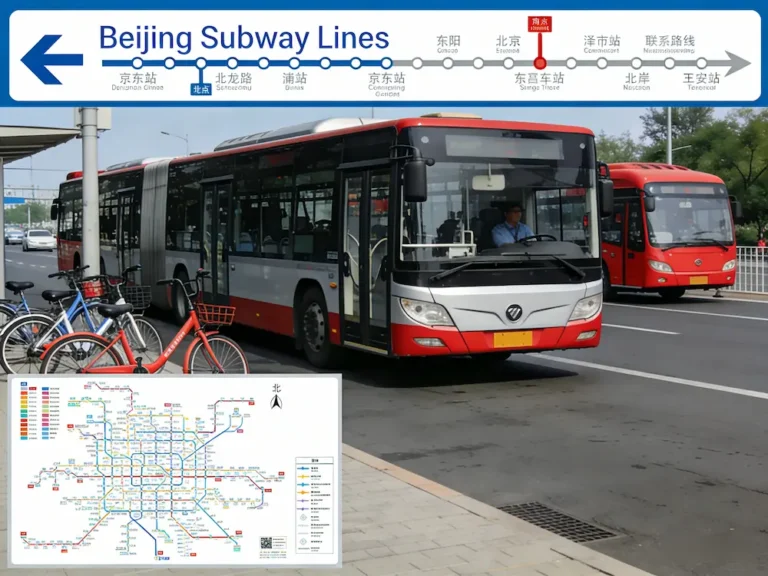
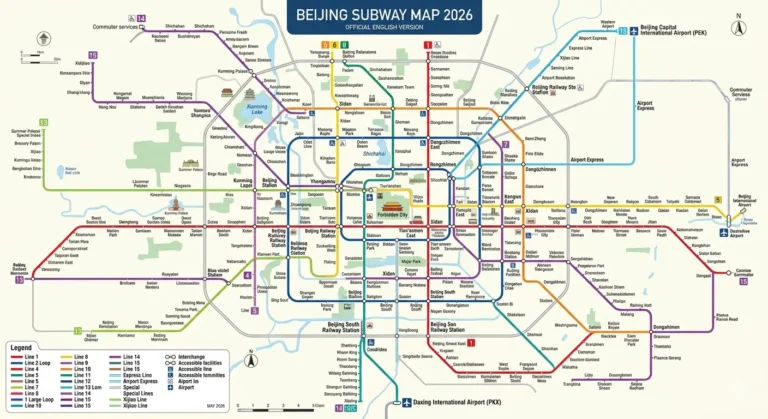
7.2 How to Use Mobile Payments on the Subway (Two Methods)
Method 1: Tap and Go with International Credit Cards — Starting in September 2024, all turnstiles across Beijing’s 27 subway lines support “tap-and-go” payments with international credit cards.
Simply hold your Visa, Mastercard, Amex, or JCB card up to the reader and tap it like a regular transit card to enter the station.
Beijing is also the first city in the world where all five major card networks (UnionPay, Visa, Mastercard, Amex, and JCB) are fully supported for contactless metro entry.
Method 2: Generate a ride code on your phone—find the “Transport Code” or “Metro” option in Alipay or WeChat Pay (located in the “More” or “Travel” section on the Alipay homepage), generate a QR code, and scan it at the subway turnstile to enter the station.
7.3 About the Tour Card (Not Highly Recommended)
This is a prepaid card service—you can top up your Tour Card using a foreign credit card and then spend the funds within China.
However, a 5% top-up fee applies each time you add funds, and you can only apply for the card after entering China.
Therefore, the most recommended method is to link a foreign credit card directly, which incurs no fees and can be arranged in advance.
7.4 About Tax Refunds (the“rebate” you can get when shopping in Beijing)
If you make purchases at a Beijing shopping mall and meet the spending threshold (usually 500 RMB or more), you can claim a tax refund at the airport when you depart. Now, with Alipay, you can get a “one-click tax refund” that arrives in as little as 2 minutes—no need to fill out complicated forms or wait in long lines at the airport.
VIII. Frequently Asked Questions (FAQ)
IX. Summary and Emergency Checklist
Before Departure (Must-Do Items)
- Download the Alipay and WeChat apps on your phone
- Register an account using your home country’s phone number
- Upload a photo of your passport and complete facial recognition verification
- Link a foreign credit card (Visa/Mastercard preferred)
- Exchange 500–1,000 RMB in cash at a bank (avoid large bills; try to get change in 50, 20, and 10 RMB denominations)
- Before departure, find the “GO BEIJING” platform in Alipay International, claim the “Explore Beijing Gift Pack” coupon in advance, and download an eSIM card (if needed)
Upon Arrival in Beijing (Get Oriented)
- Buy a bottle of water at the airport to test if your payment functions are working properly
- Withdraw 1,000 RMB in cash for emergencies
- Locate the BEIJING PASS sales points and foreign currency exchange counters at the airport (in case you need cash)
- Upon arrival at the airport, go to the “Beijing Service” airport service counter to inquire about using the platform and claim your “Beijing Welcomes You” special gift pack
Everyday Use
- Use the subway with ease: Simply tap your Visa/Mastercard or the ride code on your phone
- Bring a power bank and 100 yuan in change when you go out
- No worries about large purchases: $5,000 per transaction limit; 3% foreign transaction fee on amounts over 200 yuan
- It’s best to keep a physical international credit card on hand in case the app or network fails
Install Alipay or WeChat Pay before you leave, test it out by buying a bottle of water upon arrival, and bring some spare cash and a physical card. Once you’re in Beijing, you’ll be able to pay with a simple“ beep” just like a local.