The 2026 Guide to Internet Access in China: The Ultimate Comparison of VPNs, eSIMs, and Local SIM Cards
> “No Google Maps, no WhatsApp, and I can’t even receive emails—I regretted it within the first hour of landing in Beijing.”
> — Reddit user u/lost_in_beijing
If you’re browsing the “China travel” subreddit on Reddit, you’ll likely come across complaints like the one above. Many Western travelers have given up on visiting China—especially Beijing—entirely because of internet restrictions.
It’s not that they’re being overly sensitive; it’s simply that modern travel has become completely dependent on the internet: hailing rides, booking hotels, checking maps, reading emails, scrolling through Instagram… Once you lose your connection, it’s like being blindfolded.
But I want to tell you: this problem can be completely solved.
As a “local” who has lived and worked in Beijing for over a decade, this Guide to Internet Access in China delivers the latest step-by-step tips for 2026. Inside, we will cover:
- What exactly does the Great Firewall block?
- Why are free VPNs basically useless?
- eSIM, roaming, paid VPNs, local SIM cards—which one is best for you?
- How can you enjoy seamless internet access in Beijing while also handling practical tasks like hailing rides, making reservations, and ordering food?
After reading this, you’ll find that getting online in Beijing is as easy as scrolling through TikTok.
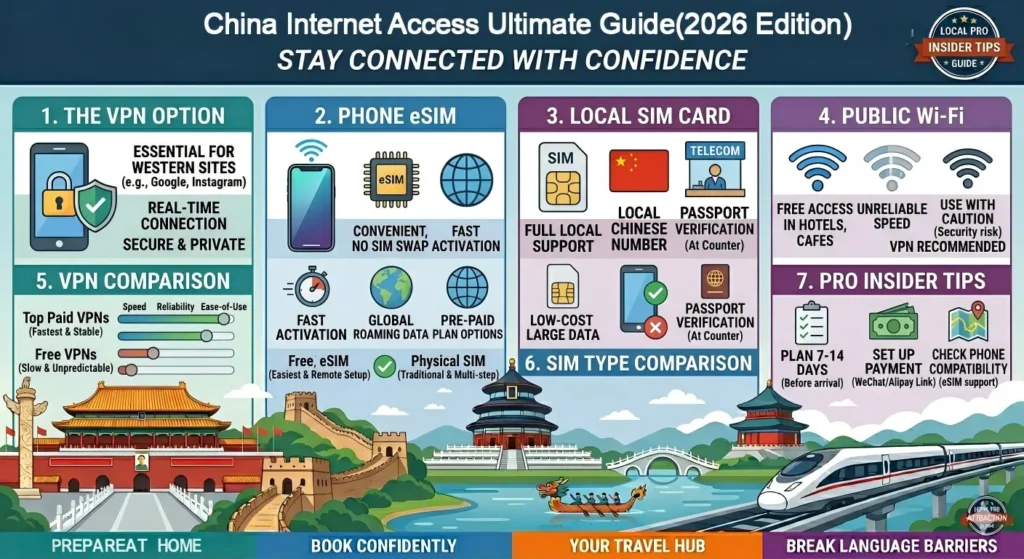
Table of Contents
1. What Exactly Does the Great Firewall (GFW) Block? (And Why Free VPNs Are a Scam)
Restricted List (Services You’re Used to in Other Countries That Can’t Be Accessed Directly in Mainland China)
| Category | Specific Services |
| Search Engines & Maps | Google (all services), Google Maps, Waze |
| Social Media & Messaging | Instagram, Facebook, WhatsApp, Telegram, Signal, Snapchat |
| Video & Streaming | YouTube, Netflix, Hulu, Disney+ (some content restricted) |
| Email (partial) | Gmail (Unavailable on both web and app) |
| News and Blogs | The New York Times, BBC, CNN, Bloomberg, etc. |
| Other | Dropbox, Pinterest, Reddit (web version is frequently blocked) |
Why Will “Free VPNs” Be Almost 100% Ineffective in China by 2026?
Many travelers casually download a “free VPN” before leaving, only to discover once they arrive in China that:
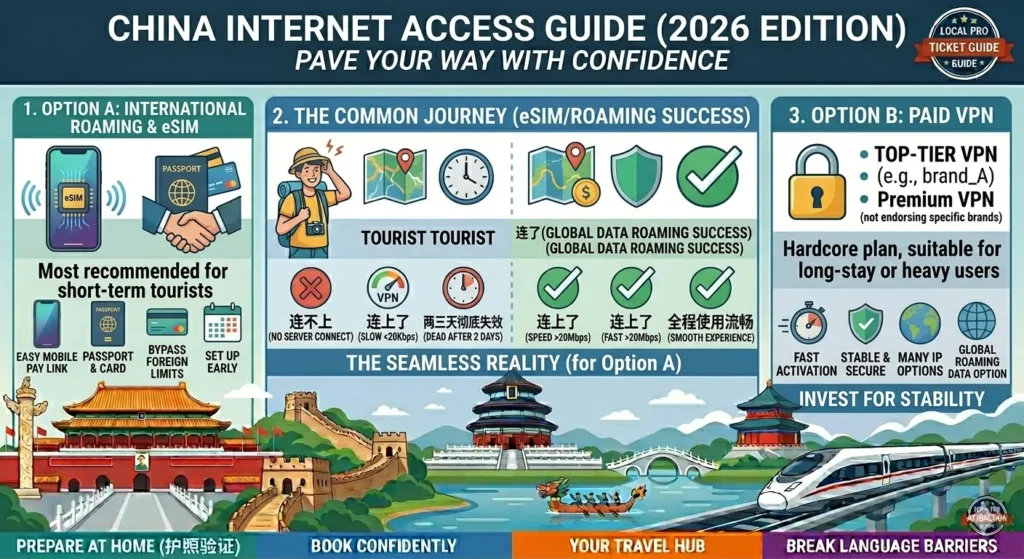
- They can’t connect to any servers.
- They can connect, but the speed is only a few dozen Kbps.
- After two days of use, they can’t connect at all.
The reason is simple: free VPNs have small IP pools with distinct characteristics, making them easy for firewalls to identify and block.
By 2026, nearly all free VPNs will be unusable within China. Don’t waste your time trying them.
The right approach: Use the paid VPN or eSIM/roaming solutions described below.

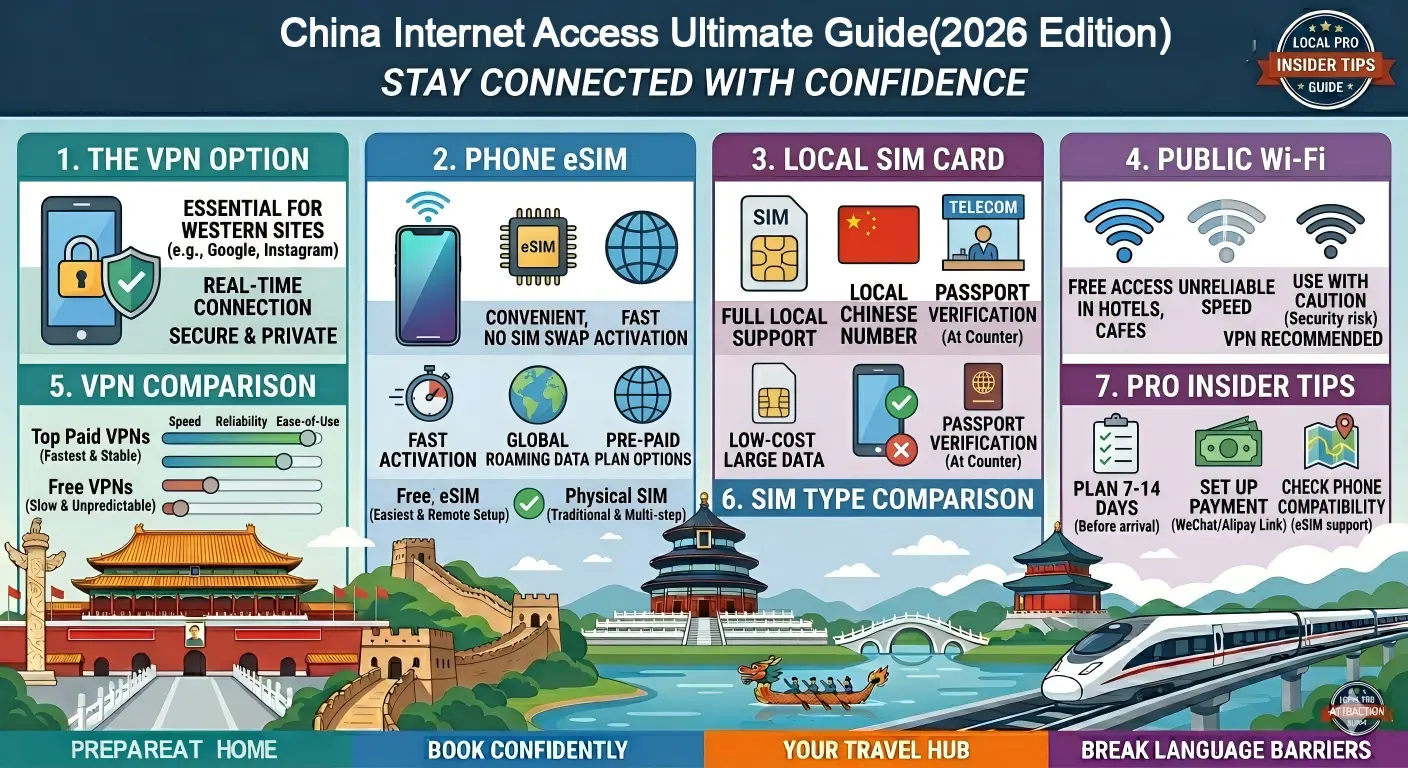
2. Option A: International Roaming and eSIM (Most Recommended for Short-Term Visitors)
Why Is This the Most Hassle-Free Option?
When using a SIM card from outside mainland China (such as roaming with your home carrier or purchasing an eSIM data plan from Hong Kong, Singapore, or the U.S.), your data traffic is first routed back to the carrier’s home country or region before accessing the global internet. This means:
- Built-in “VPN” functionality: You can directly use Google Maps, Instagram, WhatsApp, Gmail, and more while in China.
- No need to set up a VPN: No need to mess with servers, protocols, or obfuscation.
- Stable and reliable: Not affected by the Great Firewall.
Recommended eSIM Providers for 2026 (Real-World Comparison)
| Provider | Price (approx.) | Data | Pros | Cons |
| Jetpac | $9–12/day | 1GB of high-speed data per day, then throttled | Supports China Unicom 5G, stable connection | Slightly expensive |
| Airalo | $8–20/week (1–5GB) | Flexible plans, available in many countries | Reasonably priced, good app experience | Speeds may fluctuate during peak hours |
| Holafly | $6–9/day (unlimited) | Unlimited data (subject to fair use policy) | Unlimited data ideal for heavy users | Occasional lag |
My recommendations:
- Staying 3–7 days → Book a 3GB–5GB China eSIM on KKday (approx. $12)
- Staying more than 7 days and needing a lot of data → Reserve an Unlimited Data China eSIM on KKday
- Requiring extremely high reliability (e.g., business trips) → Get a High-Speed China eSIM Pass via KKday
Major Drawback: Inability to Obtain a Local Chinese Phone Number
This is the only—and biggest—issue with the eSIM/roaming solution.
Since you’re using an international SIM card, you won’t have an 11-digit Chinese phone number. This means you won’t be able to:
- Register for Meituan (order takeout, buy group-buying coupons, make restaurant reservations);
- Register for Didi (the international version of Didi sometimes works, but the success rate for hailing rides is low);
- Use portable power banks (SMS verification is required when scanning a QR code to rent one);
- Use certain mini-programs for attraction reservations (for example, some museums require phone number verification);
- Use certain features of local payment apps (for example, sending and receiving money via WeChat requires a linked phone number).
But here’s the good news: if you rely primarily on an eSIM for internet access, combined with Alipay (linked to your passport and foreign credit card) and WeChat (linked to your passport), you can handle 80% of your travel needs—such as hailing rides via Amap within Alipay, booking hotels through [Booking.com ] or [Trip.com], and making attraction reservations via KKday Travel Portal or Alipay mini-programs.
However, if you want to experience a more local lifestyle—such as ordering takeout to your hotel, riding shared bikes, or using group-buying coupons at small restaurants in the hutongs—you’ll still need a local SIM card. We’ll cover this in detail in Part 4.
3. Option B: Paid VPN (Advanced Option, Suitable for Long-Term Stays or Heavy Users)
Who This Is For
- Those staying in China for more than 2 weeks;
- Those who need to handle large amounts of work-related data (such as accessing the company intranet or sending and receiving large volumes of emails);
- Those who want to watch Netflix or YouTube in HD;
- Those who are very concerned about privacy (a VPN will encrypt all your traffic).
2026 Hands-On Rankings (Stable VPNs Still in Operation)
⚠Important Note: VPN services in China change rapidly. The information below is based on tests conducted in May 2026; we recommend verifying it again before you travel.
| VPN Name | Price (Monthly) | Stability (1-5) | Speed | Features |
| Astrill | $20-30 | ⭐⭐⭐⭐⭐ | Extremely Fast | Most expensive but most stable; features protocols tailored for China; fast customer support response |
| NordVPN | $12-15 | ⭐⭐⭐⭐ | Fast | Requires manual configuration of Obfuscated servers; OpenVPN protocol recommended |
| ExpressVPN | $13-16 | ⭐⭐⭐⭐ | Fast | Also requires obfuscation (Lightway + Obfuscation); occasional disconnections but acceptable |
| Mullvad | $5-6 | ⭐⭐⭐⭐ | Average | The privacy geek’s top choice—anonymous registration, accepts cash payments, but requires manual configuration of WireGuard and enabling obfuscation |
My recommendations:
- If you have a generous budget and don’t want to mess around, → Go straight for Astrill (currently the most reliable).
- If you have a moderate budget and some basic technical skills → NordVPN or ExpressVPN (remember to enable obfuscation mode beforehand).
- If privacy is your top priority → Mullvad (but it takes a bit of time to set up).
Key Steps: Must be completed before entering China!
1. Before leaving your home country:
- Download and install the VPN app.
- Sign up and purchase a subscription (we recommend 1–3 months).
- Log in to your account and make sure you can successfully connect to a server outside of China.
- In the settings, find the “Obfuscated” or “Disguised Protocol” option and enable it.
- Test several different protocols (OpenVPN, WireGuard, Lightway) and remember which ones work.
2. After arriving in China:
- If using Wi-Fi, connect first (although some public Wi-Fi networks may interfere with the VPN; most hotels and cafes work fine).
- Open the VPN app and select the server and protocol that worked last time.
- If you can’t connect, try switching protocols (e.g., switch from WireGuard to OpenVPN).
- If all protocols fail, try manually configuring the proxy (refer to your provider’s documentation for details).
Tip: Some VPNs offer “SSL tunnel ”or “SSH tunnel” options; this type of traffic looks like a regular HTTPS request and is harder to detect.
4. The Ultimate Recommendation: A Local SIM Card (If You Want to “ Explore Beijing in Depth”)
Why Should You Consider a Local SIM Card?
If you’re staying in Beijing for more than two weeks, or if you want to:
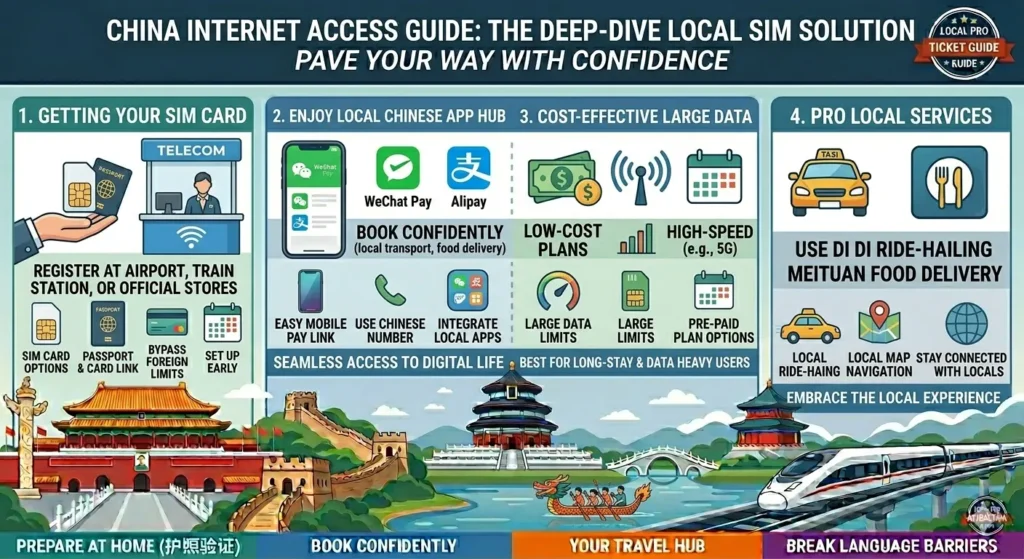
- Order takeout, buy movie tickets, or book group deals for hot pot on Meituan.
- Sign up for bike-sharing services (Hello Bike, Meituan Bike);
- Rent self-guided audio tour devices at tourist attractions (many require SMS verification);
- Get better signal coverage in rural or mountainous areas (such as the Great Wall’s remote sections)…
Then you should get a local Chinese SIM card.
How to Apply (Latest Process for 2026)
Required Documents: Passport (valid for at least 3 months)
Where to Apply:
- Official service centers of China Mobile, China Unicom, or China Telecom (avoid buying from small stalls at the airport; those tourist SIM cards are often overpriced and come with unfavorable plans).
- Recommended: Sanlitun branch in Beijing (English service available) or Wangfujing branch.
Plan Options (Typical Prices for 2026):
- Short-term tourist SIM cards: 100–200 RMB/week, including 20–50GB of data + a small amount of talk time.
- Standard prepaid plan: 50 RMB/month (30GB data + 100 minutes of talk time), suitable for longer stays.
Procedure:
1. Bring your original passport to the service center.
2. Tell the staff, “I’d like to get a SIM card for foreign tourists.”
3. They will photocopy the first page of your passport and the visa page (or the page with your entry stamp).
4. Choose a plan and pay (Alipay, WeChat Pay, and cash accepted).
5. The SIM card will be activated on the spot; the whole process takes about 10 minutes.
Once you have a local phone number, you can:
- Sign up for WeChat and Alipay (if you previously registered with a foreign phone number, you can change the linked number).
- Use all local apps, such as Meituan, Didi, and bike-sharing services.
- Enjoy a more stable 5G signal than with an eSIM in the Beijing suburbs (e.g., Mutianyu Great Wall, Gubei Water Town).
Cons:
- You cannot access Google, Instagram, and other services with a local SIM card (the Great Firewall remains in effect).
- Solution: Set up a VPN on your local SIM card (using one of the recommendations above). In other words: local SIM data + VPN for bypassing the firewall = the perfect combination.
5. Security and Privacy: The Risks of Public Wi-Fi
Free Wi-Fi is available everywhere in Beijing—at Starbucks, hotels, airports, and shopping malls. But here’s what you need to know:
- Public Wi-Fi is usually unencrypted, meaning others on the same network can easily intercept your data (including passwords and email content).
- Even when using roaming or an eSIM, it’s recommended to enable a VPN, as it encrypts all traffic between your phone and the VPN server.
My routine: I always keep my VPN turned on when using any public Wi-Fi in Beijing. This bypasses the firewall and protects my privacy.
Recommended setup (for local SIM card users):
- Turn on 5G data on your phone → Turn on your VPN (e.g., Astrill) → Browse the web as usual.
- Avoid connecting to free Wi-Fi from unknown sources (such as networks without a password).
6. Once You’ve Got These Technical Details Sorted, Is Beijing Really Worth the Trip?
I know, by now you might be feeling a bit overwhelmed: eSIMs, VPNs, local SIM cards, obfuscation protocols… It sounds like an IT course.
But trust me—spending just 30 minutes reading this guide will take care of all that hassle.
And when you’re standing atop Jingshan Hill overlooking the Forbidden City, when you’re riding a shared bike through the alleyways of Shichahai, or when you’re walking safely through the streets of Sanlitun at 2 a.m., you’ll realize it was all worth it.
Beijing isn’t Tokyo or Seoul—it won’t roll out the red carpet for you. But that’s exactly why every bit of help you receive here, every view you take in, and every bite of Peking duck tastes more authentic.
I’ve lived in this city for over a decade, and every day I witness moments when it surprises foreigners—provided they haven’t been deterred by internet issues.
So don’t let something as minor as a VPN hold you back. Pick one of the options from this article, install it, and go ahead and book your flight.
What internet-related issues worry you most when planning a trip to China?
Is it figuring out how to buy an eSIM? Or are you unsure which VPNs actually work right now?
Let me know in the comments, and I’ll help you out one-on-one.