Essential Apps for Foreigners Visiting China in 2026 | Everything from Payments to Ride-Hailing in One Place
Last Updated: Sep 2026
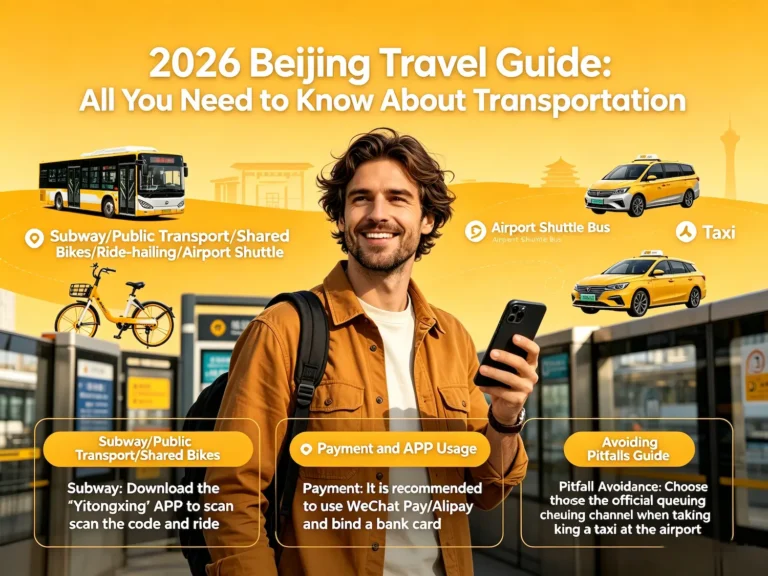
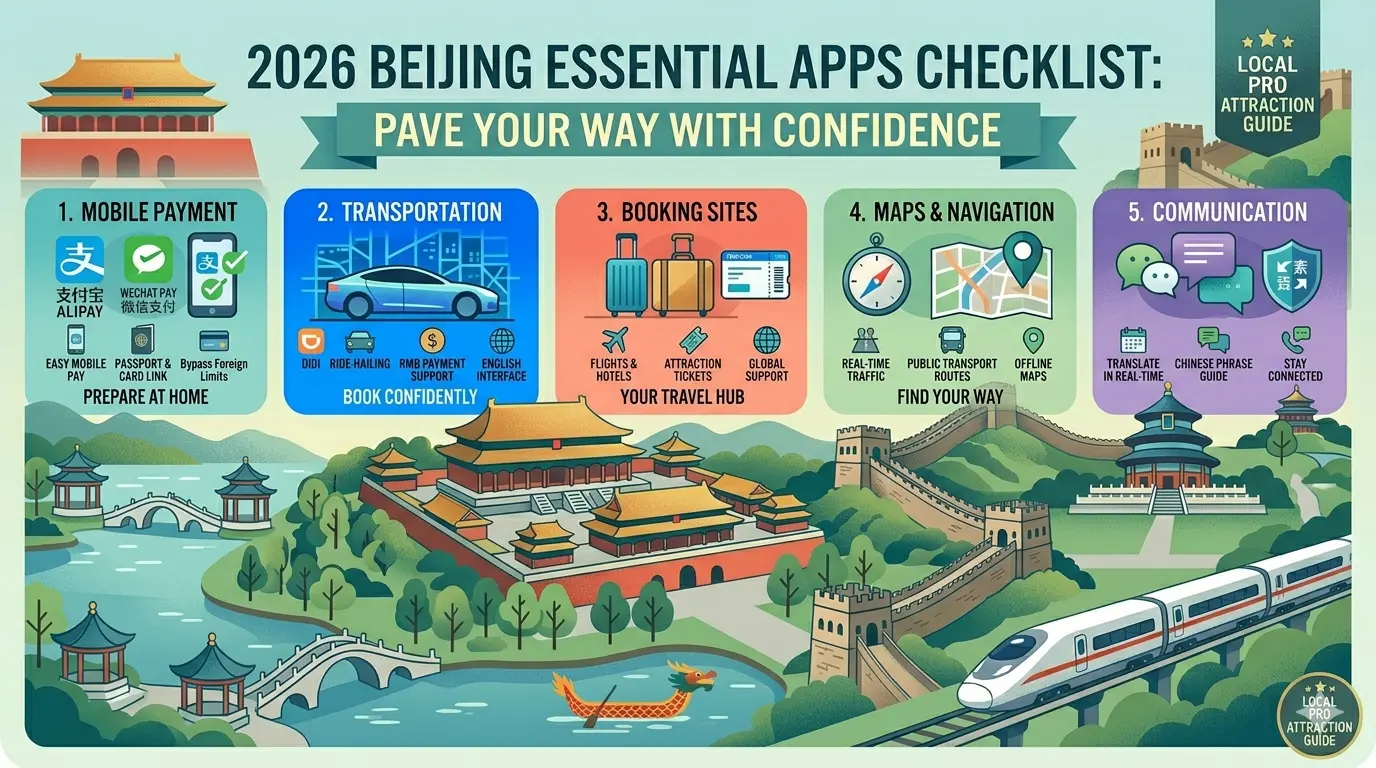
In China, you don’t need to download 20 apps—just master three or four key ones, and you’ll navigate the city with ease.
This is the world of “super apps”—a single app that integrates nearly all daily functions, including messaging, payments, ride-hailing, ticket booking, restaurant reservations, and food delivery.
This article will walk you through them step by step.
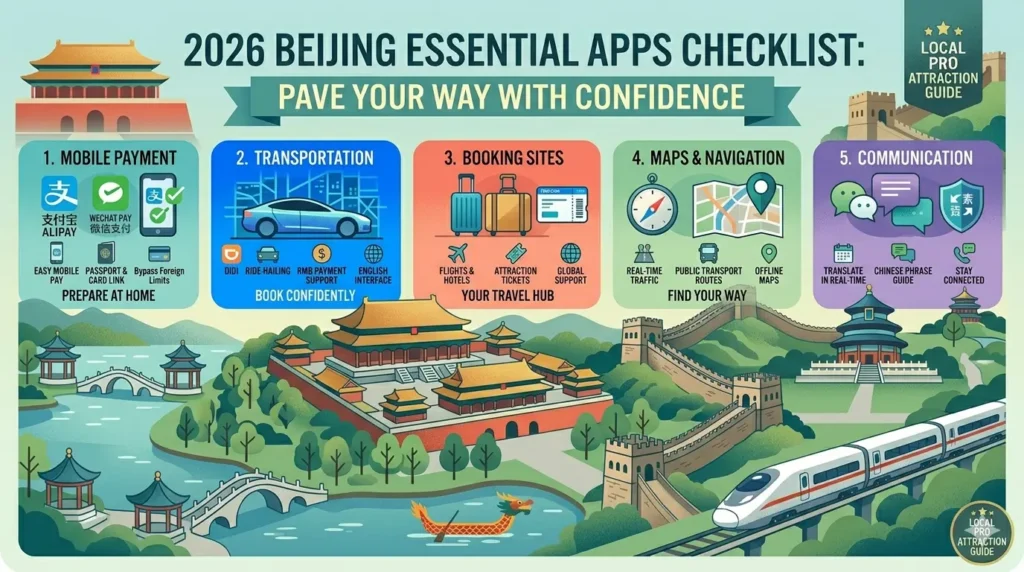
Table of Contents
Quick Answer: Which Apps Do You Really Need in China?
| App | Main Uses | Essential |
Alipay | Payments, transit passes, ride-hailing, mini-programs, translation | ⭐⭐⭐⭐⭐ Essential |
| Messaging, payments, vast selection of mini-programs | ⭐⭐⭐⭐⭐ Essential | |
| Trip.com (International Version) | Hotel, high-speed rail, and flight bookings | ⭐⭐⭐⭐ Essential |
| DiDi | Ride-hailing service | ⭐⭐⭐⭐ Very useful, optional |
| Amap | Maps and navigation, public transportation | ⭐⭐⭐⭐ Essential tool, optional |
| Translation Apps | Translation of menus and street signs | ⭐⭐⭐ Recommended |
| 12306 | Official Chinese train ticket booking | ⭐⭐⭐ Use as needed |
Quick Tip: If you want to keep the number of apps to a minimum, prioritize installing Alipay, WeChat, and Trip.com. Pairing these with a map and a translation tool will be more than enough for your trip.
Essential Apps vs. Optional Apps
✅Must be installed before departure (Essential)
- Alipay
- [Trip.com] (International Version)
✅Very useful, but optional; some features can be replaced by mini-programs.
- DiDi (You can hail a ride directly using Alipay or WeChat mini-programs; no need to download the app separately)
- Amap
- Translation apps
- 12306
Why Does the App Experience in China Differ from What I See on Google Play?
This is one of the most frequently discussed “turn-offs” among foreign tourists on Reddit: Why do familiar apps suddenly stop working properly once you arrive in China?
Don’t worry just yet. Let’s put it this way: whether you’re hailing a taxi, dining out, exploring hutongs, or riding the high-speed rail in China, the tools you’ll need are a bit different from what you’re used to back home—but they’re just as easy to use.
Over the past few years, China has made significant improvements to its digital services for inbound tourists.
By 2026, you’ll find that:
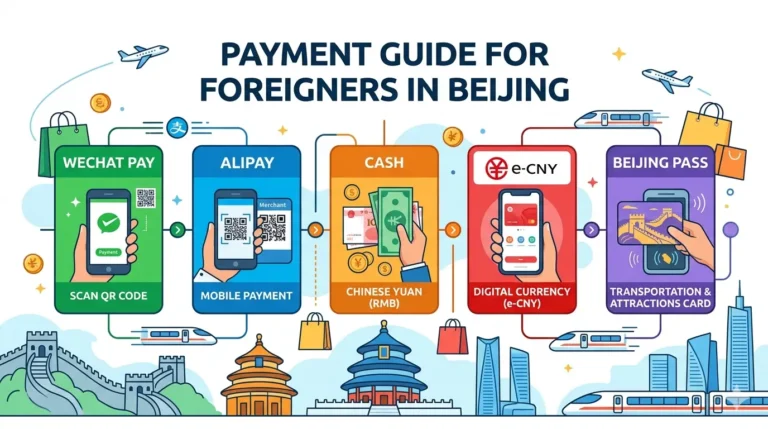
- WeChat Pay and Alipay now support linking your Visa/Mastercard, with the transaction limit raised to $5,000 per transaction
- China UnionPay has launched the “Hello China” app, integrating payment, transportation, and cultural tourism services
- The Beijing Municipal Government has launched “Go Beijing,” which supports 16 languages and handles 39 services—including hailing taxis, buying tickets, and booking hotels—all in one app
- Bank of China has launched the “Come to China” app, which has surpassed one million downloads and covers a full range of scenarios, including translation, ride-hailing, ticket booking, and restaurant recommendations
You don’t need to overcomplicate things. This article will tell you: which apps you need to install, how to install them, how to use them, and what to do if you get stuck.
Choose an App Based on Your Travel Scenario
No need to memorize app names—just check here whenever you need something. Many features can be handled with mini-programs, so there’s no need to download a standalone app.
- Payments: Alipay / WeChat Pay
- Ride-Hailing: Alipay Mini Programs / WeChat Mini Programs / DiDi App
- Booking High-Speed Rail and Train Tickets: [Trip.com] / 12306
- Booking Hotels and Flights: [Trip.com]
- Maps and Navigation: Amap / Apple Maps (pre-installed on iPhones)
- Text Translation: Alipay “Scan to Translate,” WeChat Translate, DeepL, Google Translate
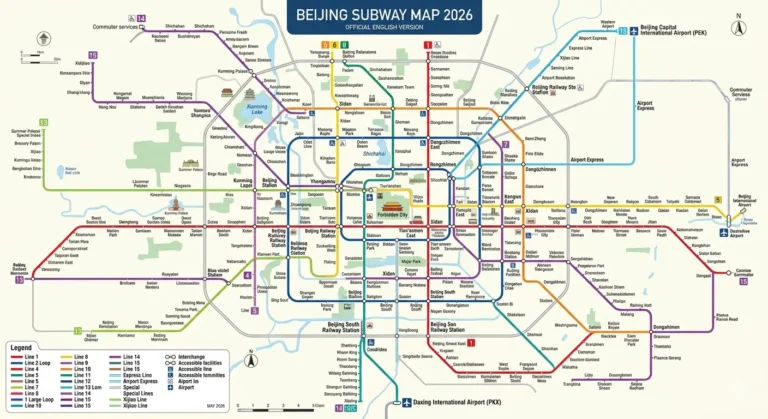
- Taking the Subway or Bus: Alipay Travel Code
In-Depth Analysis of Core Apps
2.1 Alipay (Recommended)
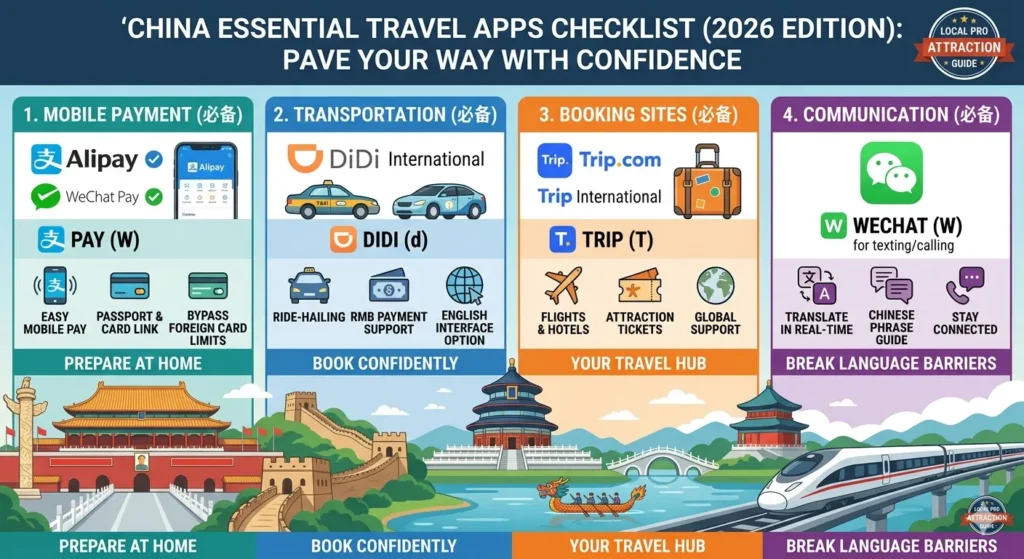
Alipay is currently the most user-friendly payment app for visitors to China, featuring a dedicated international interface and a well-established card-linking process. It’s more than just a payment tool; it also integrates a wide range of mini-programs for transportation, travel, translation, and more.
How to download: Search for “Alipay” in the iOS App Store or Google Play to download it.
How to Download: Search for “Alipay” in the iOS App Store or Google Play to download the app.
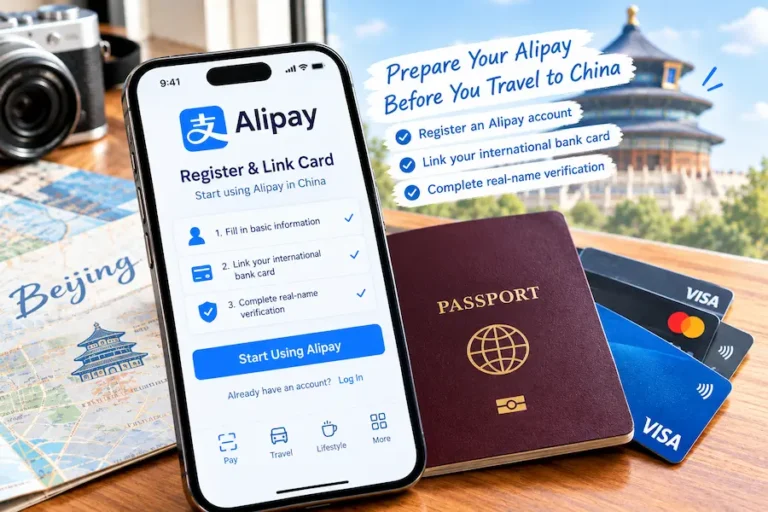
Registration and Card Linking (to be completed at home before departure):
1. Download and install Alipay, then register an account using your international phone number.
2. Go to Account Security Settings, select “Passport” to complete identity verification, upload a clear photo of your passport, and complete facial recognition.
3. In the Bank Cards section, add a Visa, Mastercard, or JCB international credit card.
4. Receive a verification SMS from your bank; the review process usually takes just a few minutes.
Why is Alipay essential for international travelers?
It’s not just for payments—it also integrates public transit QR codes, photo translation, bike-sharing services, and the GO BEIJING entry service, so you won’t need to download additional apps to meet most of your needs.
Fees and Limits: Transactions of RMB 200 or less are fee-free; a fee of approximately 3% applies to amounts exceeding RMB 200. The annual limit is $50,000, and the per-transaction limit is $5,000.
Unlock Core Features:
– Transport (Travel Code): On the Alipay homepage, find the “More” or “Travel” section, then tap the “Transport” or “Metro” button to generate a QR code for public transportation.
When riding the subway or bus in Beijing, hold this code up to the scanner at the turnstile. You’ll hear a “beep” and be able to enter the station—no need to buy a ticket, worry about change, or stress over language barriers.
– HelloBike (Bike-Sharing): Search for the “HelloBike” mini-program in Alipay. After verifying your identity with your passport, you can scan the QR code to rent a bike.
– Translation Feature: Alipay includes a built-in “Scan to Translate” function—simply take a photo of a menu or street sign, and the app will translate the Chinese text into English in real time.
– Travel in China (China Bound): Search for “Chinabound” or “Travel in China” in Alipay to access this English-language smart tourism service platform, which offers one-stop services including intelligent translation, flight and hotel bookings, train ticket purchases, and currency conversion.
– New Service for 2026: “Ruijing Tong GO BEIJING”—a one-stop comprehensive service platform launched by the Beijing Municipal Government. There’s no need to download a separate app; simply search for “Ruijing Tong GO BEIJING” in Alipay to access it. The platform supports 16 languages that can be switched freely and offers 39 services, including ride-hailing, attraction ticketing, and hotel reservations.
Budget Guide: The app is free. A 3% processing fee applies to payments over 200 yuan made with foreign credit cards. We recommend splitting smaller transactions to avoid fees entirely.
2.2 WeChat (More Than Just Messaging)
WeChat is China’s most popular social media app, and WeChat Pay is integrated directly into the WeChat app.
Although WeChat Pay isn’t as user-friendly in English as Alipay, its reach within the “Mini Programs” ecosystem far exceeds that of Alipay.
Nearly all Chinese businesses have launched “Mini Programs” on WeChat, allowing you to book restaurants, buy movie tickets, schedule doctor’s appointments, rent power banks, and more—all within a single Mini Program.
Download WeChat: Search for “WeChat” on the iOS App Store or Google Play to download it. Simply register using your local phone number.
Setting up WeChat Pay:
1. Go to “Me” → “WeChat Pay” (Services) → Follow the prompts to set a 6-digit payment password
2. Go to “Wallet” → “Bank Cards” → “Add a Bank Card.”
3. Enter your Visa/Mastercard number — WeChat Pay supports 7 major card networks, including Visa, Mastercard, JCB, Discover, and more
4. Upload a photo of your passport + complete facial recognition verification
5. Review is typically completed within 24 hours; in some cases, it can be approved in just a few minutes
Fee Policy: Same as Alipay: Transactions of 200 yuan or less are fee-free; transactions over 200 yuan incur a fee of approximately 3%.
Unlocking Core Features:
– Mimi Program (Mini Programs) is the “secret weapon” of China’s app ecosystem: Mini Programs are “lightweight apps” within WeChat that don’t require a separate download or installation.
For example, if you’re looking for an authentic xiaolongbao restaurant in Beijing, you don’t need to install the Meituan app. Just go to “Discover” → “Mini Programs” in WeChat, search for “Dianping” or “Meituan,” and instantly open this “food delivery + restaurant search” Mini Program.
Many local restaurants offer online reservation services via Mini Programs. When you arrive at the restaurant, you can simply scan a QR code to order—no need to interact with the cashier at all.
Another practical use case is renting a portable charger—in China, if your phone runs out of battery, you can scan a QR code at a shared charging station in a street shop, coffee shop, or mall to rent one for a few yuan per hour, then return it at any station when you’re done.
Steps: Open WeChat and scan the QR code on the charger → Open the mini-program → Authorize password-free payment → The charger pops out.
– Long-press translation feature: If someone sends a Chinese message in a WeChat chat, simply long-press the message → select “Translate.” The message will be instantly translated into English. You can also use WeChat’s “Scan to Translate” feature to take photos of menus or street signs.
– Search messages: Use the “Search” button in the bottom bar to quickly find articles from official accounts, mini-programs, or chat history.
Alipay vs. WeChat: Which Should Foreign Tourists Choose?
| Alipay | ||
| Offline QR Code Payments | ⭐⭐⭐⭐⭐ | ⭐⭐⭐⭐⭐ |
| Ride-Hailing Services | ✅Supported | ✅Supported |
| Subway and Bus QR Codes | ✅Supported | ✅Supported |
| Mini-Program Ecosystem | Excellent | Excellent |
| Instant Messaging | Limited functionality | ⭐⭐⭐⭐⭐ |
| Photo Translation | Very capable | Adequate |
| Best Suited For | Comprehensive travel services and payments | Social communication + local lifestyle services |
Recommendation: If you only want to master one payment app, choose Alipay first. However, we strongly recommend keeping WeChat as well for messaging and as a backup payment option.
Cost estimate: WeChat is free. Renting a power bank typically costs 3–6 RMB (US$0.40–0.85) per use.
2.3 Trip.com (Ctrip International)—The Best Choice for International Travelers to Book High-Speed Rail Tickets and Hotels
Trip.com is essentially Ctrip’s international version. The interface is entirely in English; it accepts international credit cards and offers 24/7 English customer service.
Booking hotels, purchasing high-speed rail tickets, renting cars, and buying attraction tickets—you can handle all of these tasks with just one Trip.com app.
How to download: Search for “Trip.com” in the iOS App Store or Google Play to download.
Why do we recommend [Trip.com] to first-time visitors to China?
It features a fully English-language interface, directly accepts international credit cards, and offers one-stop booking for hotels, high-speed rail tickets, flights, and airport transfers. It’s also officially recommended for foreign tourists visiting China, so you won’t have to struggle with the complex Chinese interface of 12306.
Unlock Core Features:
– Book High-Speed Rail Tickets: Traveling by high-speed rail in China is extremely convenient. To book tickets on Trip.com, open the app, select “Trains” → enter your departure and destination cities (e.g., Beijing to Shanghai) → select your travel date → choose your seat class (Second Class offers the best value) → enter passenger information (select “Passport” as the ID type and enter your passport number accurately) → pay with a foreign credit card.
The system charges a service fee of 10–20 RMB (US$1.40–2.80), which is essentially a “convenience fee” for saving you the trouble of navigating the Chinese interface of 12306. After a successful booking, the system will send the ticket number to your email and Trip.com account.
When traveling by high-speed rail, you do not need a paper ticket. Simply bring your passport to the manual gate at security for verification and boarding. It is recommended to arrive at the train station 40–60 minutes in advance.
– Booking Hotels: When searching for hotels in your destination city, the results will display intuitive information such as nightly rates, user reviews (mostly genuine feedback from Chinese travelers), and hotel amenities. You can book directly using a foreign credit card.
– Buying attraction tickets: Search for popular Beijing attractions (such as the Forbidden City, the Temple of Heaven, and Badaling) on Trip.com, click “Book & Skip the Line,” and pay with a credit card. The system will generate a QR code, which you can save to your phone’s Wallet. When you arrive at the attraction, scan the QR code to enter.
Budget Guide: The app is free. High-speed rail ticket service fees range from 10 to 20 yuan (US$1.40–2.80). One-way high-speed rail tickets from Beijing to Shanghai start at 553 yuan (US$77)—cheaper than airfare, and you don’t have to arrive at the airport an hour or two early.
2.4 DiDi: A Handy Ride-Hailing Tool, but You Don’t Need to Download a Separate App
Foreign tourists can access the English version of DiDi directly through mini-programs on Alipay or WeChat; they don’t necessarily need to install a standalone app.
DiDi is China’s largest ride-hailing platform, much like Uber in the U.S. The good news is that DiDi offers a dedicated English-language international version.
How to download: Search for “DiDi China” in the iOS App Store or Google Play to download the app. The icon features the word “DiDi” in orange.
Sign-up and Usage:
1. After installation, sign up and verify your account using a local phone number.
2. Select “English” as the interface language, and the interface will switch to English.
3. Go to “Payment Methods” to link a foreign credit card (Visa/Mastercard) or Alipay.
4. When hailing a ride, the app will automatically detect your GPS location. Simply enter your destination (Didi supports English address search), and the app will display an estimated fare.
5. After confirming your ride request, the system will assign you the nearest available driver.
6. Didi has a handy feature: messages between drivers and passengers are automatically translated in real time—if you send a message in English, the driver will receive it in Chinese; if the driver sends a message in Chinese, you will receive it in English. This allows for smooth communication without the need for direct language exchange.
7. At the end of the ride, tipping is not required. The total amount you pay is the estimated fare shown when you booked the ride plus the actual mileage cost (which may vary slightly due to traffic congestion or detours).
You must enable the “Auto-Pay” feature: This is the most important step.
Under “Payment Methods,” link a foreign credit card or Alipay, then enable “Auto-Pay” or “Default Payment Method.”
This way, the system will automatically charge your account upon arrival at your destination. You can simply get out of the car without having to exchange glances with the driver, gesture, or pull out cash—completely avoiding any awkwardness.
Alternative option: If you can’t find the international version of DiDi, you can also search for the “DiDi” mini-program directly in Alipay. You don’t need to download the app; you can hail an English-language DiDi ride right away.
Budget Guide: The DiDi app is free. A single ride within Beijing typically costs 15–60 yuan (US$2–8). Dynamic surcharges may apply during peak hours.
Maps and Navigation: What to Do When Google Maps Doesn’t Work in China?
To be frank: Due to internet restrictions and coordinate offset issues, Google Maps is essentially unusable in mainland China—real-time traffic updates load slowly or fail to load at all, and location data can drift. Therefore, you’ll need a local alternative.
Maps are an essential tool for travelers in China. We recommend having one ready before you leave, as you’ll use it frequently for navigation in unfamiliar cities.
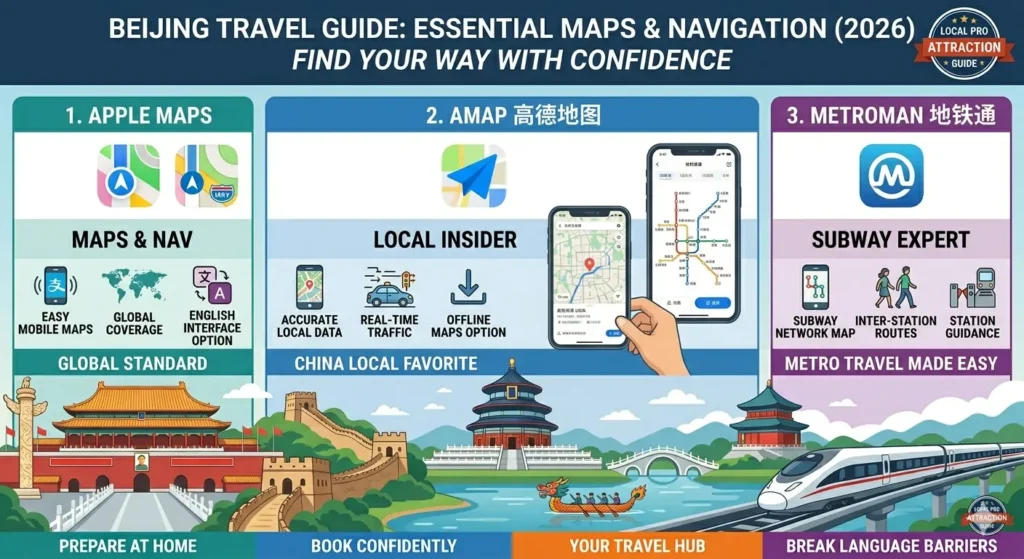
3.1 Apple Maps (For iPhone Users)
If you’re an iPhone user, Apple Maps is the most hassle-free option.
It uses map data directly from mainland China (provided by Amap), so you don’t need to install anything extra; it doesn’t take up storage space, and you don’t need a VPN. It supports English menus and English search.
When entering a Chinese address, if you don’t know how to write it in Chinese, you can use the “Pinyin method” to input the destination’s pinyin (for example, typing “Wangfujing” will bring up Wangfujing).
However, Apple Maps’ public transportation information isn’t as detailed as that of local Chinese maps, and it doesn’t offer offline map functionality.
3.2 Amap (Top Choice for Maps in China)
Amap is currently one of the most widely used map apps in mainland China. Amap has released a dedicated English-language international version called “Amap Global” (search for “Amap Global” in the iOS App Store), which supports English map rendering, English search, and real-time traffic updates.
It integrates ride-hailing, public transit navigation, and real-time traffic information. For most travelers, the English version of Amap is the best alternative to Google Maps.
Tips:
- Save your destination in advance using its Chinese name, or use a translation app on your phone to translate the English address into Chinese once you arrive, then paste the Chinese text into the Amap search bar.
- Recognize key icons: The magnifying glass represents “Search”; the person icon represents “My Location” and navigation settings; the icon with a fork and spoon represents “Food/Restaurants”; and the two overlapping rectangles represent “Layer Toggle.”
- Amap will tell you which exit to take at a subway station—this feature is very useful because you won’t have to keep checking the signs in an unfamiliar station.
Alternative: Baidu Maps. Baidu Maps also supports an English interface and boasts an extensive database of local businesses (restaurants, cafes, convenience stores, etc.), with powerful nearby search capabilities.
When searching for restaurants or cafes in a specific area, Baidu Maps offers more comprehensive results than Gaode.
Both apps have their own strengths, so you might want to install both.
3.3 MetroMan (A Must-Have Offline Subway Navigation App)
Subway systems in any major Chinese city are both vast and highly efficient, making MetroMan an indispensable tool in this context. It supports offline searches for subway lines in all cities across the country and works even without a mobile signal.
The interface is available in multiple languages (including English), and checking transfer routes is very intuitive. When riding the subway in China, a key tip is to figure out which exit is closest to your destination before exiting the station—MetroMan will highlight this for you.
Usage Tip: Download the “offline data package” in advance while your phone is connected to the internet. This allows you to check routes normally, even in remote areas without Wi-Fi or signal (such as in the wilderness or inside subway tunnels).
Translation Tools: Overcoming the “Language Barrier”
In China, street signs, menus, and restaurant ordering interfaces are all filled with Chinese text. The following tools can help you understand them with ease.
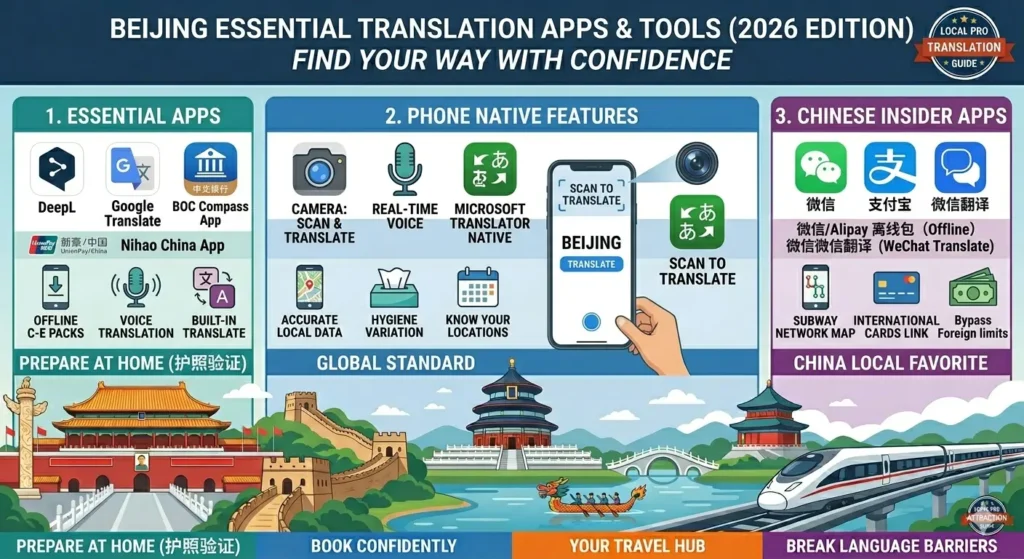
4.1 Using Your Phone’s Built-in Features
- iPhone users: Open the camera and point it at a street sign or menu. Tap the “Text Recognition” button (which looks like a box with a line through it) at the bottom of the viewfinder. Tap the selected text, then tap “Translate.”
- Android users: Google Lens is the fastest translation tool. Simply point your camera at the text to capture it and get real-time translations.
4.2 Long-Press Translation in WeChat
When you receive a Chinese message in WeChat, simply long-press the message box. “Translate” will instantly convert it to English in just a few seconds.
4.3 DeepL and Google Translate Offline Packs
DeepL is accessible within China and offers high-quality translations.
Google Translate is available in most parts of China, but it is slightly slower.
Both apps support downloading offline language packs. Download the Simplified Chinese to English offline translation pack in advance, and you can use it even in underground areas or remote locations without a network signal.
4.4 Scan-to-Translate Feature
- Alipay Scan-to-Translate: Open Alipay, tap “Scan” in the top-right corner of the home screen, select “Translate” mode, and point the camera at a Chinese menu or street sign. The app will instantly translate the Chinese text into English and display it on the screen.
- Bank of China’s “Laihuatong” App: This all-in-one app is specifically designed for inbound tourists and has been downloaded by over a million users. It offers automatic voice recognition and translation in up to 31 languages, as well as menu translation via photo capture in 46 languages.
When riding in a taxi, you can use your phone to translate conversations with the driver in real time; when you walk into a Chinese restaurant, simply snap a photo of the menu, and the dish names and descriptions will instantly appear in a language you understand.
It also integrates all-scenario services such as hailing taxis, purchasing train tickets, and restaurant recommendations. Honestly, if you’re only willing to install one app for your trip to China, “Laihuatong” is the kind of app that handles nine apps’ worth of tasks all in one.
4.5 Bank of China’s“BOC Compass” App
With over a million downloads, the app serves users in 191 countries and regions. Centered on the question “What does a foreigner need after arriving in China?”, it integrates a full range of services for every scenario, including translation, ride-hailing, train tickets, hotels, attraction tickets, restaurant recommendations, and tax refunds for departing travelers. Features include:
- Real-time voice translation in 31 languages: Enables seamless, real-time communication with taxi drivers and restaurant staff
- Text and menu translation via photo in 46 languages
- Built-in English maps and AR navigation: Displays directional arrows as you walk
- Taxi booking service covering 370 cities
- Ticket information and online booking for 860,000 attractions
- A dedicated tax refund section: featuring shopping guides and navigation to tax refund stores in over 300 cities
4.6 UnionPay’s “Nihao China” App
Launched by China UnionPay, the“Nihao China” app provides one-stop digital services for payment, travel, daily life, and cultural tourism to international visitors in China:
- Core payment features: Supports top-ups for UnionPay international cards as well as Visa and Mastercard. Leveraging the integrated acceptance network of UnionPay, WeChat Pay, and Alipay, it enables QR code payments in over 300 online and offline scenarios
- Travel features: Integrated with subways in 43 Chinese cities and bus systems in 1,760 counties and above, enabling “one-code access.”
- Currency Conversion: Supports real-time exchange rates for over 160 currencies, including the US dollar, Chinese yuan, and the euro
- Translation Features: Includes built-in real-time and page translation tools, supporting multilingual conversational and text translation
- Tax Refunds for Outbound Travelers: Covers major cities such as Beijing, Shanghai, Shenzhen, Haikou, and Sanya, with a fully English-language interface
Download: Search for “Nihao China” in the iOS App Store or Android app stores.
If You Only Want to Download 5 Apps
1. Alipay — All-in-one app for payments, transit passes, translation, and GO BEIJING
2. WeChat — Messaging + backup payment option, plus a vast selection of mini-programs
3. [Trip.com] — One-stop booking for high-speed rail, hotels, and flights
4. Amap — Navigation and travel
5. Translation app — For reading menus and street signs
You don’t need to download DiDi; simply use the Alipay or WeChat mini-programs to hail a ride.
✈Must-Do Checklist Before Flying to China
Must-Have Apps
☑ Alipay
☑ [Trip.com]
☑ Maps Apps: Amap Global / Apple Maps
Optional Apps
☑ DiDi (Install if you don’t want to use the mini-program)
☑ Translation Apps (DeepL / Google Translate)
☑ BOC Compass / Nihao China
☑ 12306
Must-Do Tasks at Home Before Departure
☑ Register for accounts on all apps
☑ Link your international bank card
☑ Complete passport identity verification
☑ Do a quick test of the payment function to avoid discovering that your card hasn’t been linked once you arrive in China
☑ Download the Chinese-English offline language pack for your translation app
☑ Save the Chinese addresses of hotels and attractions to your phone’s notes app and take screenshots for reference
Practical Tips & Emergency Plans
What if you don’t have Wi-Fi or a signal?
Download offline resources. While your phone has an internet connection, download offline map packages for Amap or Baidu Maps, offline subway route data for MetroMan, and offline translation data for DeepL or Google Translate.
Also, keep 200–500 RMB in cash on hand.
Although most merchants accept mobile payments, cash remains the most reliable backup payment method for street vendors deep in alleys or in case of network outages at certain stores.
App Connectivity Guide
| App | VPN Required | Offline Support | Recommended Use Cases |
| Alipay | No | Payment QR codes can be displayed offline | Daily payments, transit passes, and power bank rentals |
| No | Payment codes and chat history are partially available offline | Chatting, mini-programs, restaurant reservations | |
| Trip.com | No | E-tickets can be viewed offline | High-speed rail tickets, hotels, attraction tickets |
| DiDi | No | Requires internet to request a ride | City taxi rides |
| Amap (English Version) | No | Offline map packages available | Driving, walking, and public transit navigation |
| MetroMan | No | Purely offline maps | Subway route lookup |
| DeepL / GTranslate | No (GT availability may vary) | Fully functional after downloading offline language packs | Text translation, menu photo translation |
FAQ
Before you leave, download four apps (Alipay, WeChat, Trip.com, and Didi), plus a translation app and a map app, and you’ll be able to use them right away as soon as you land.
In China, technology isn’t meant to confuse you—it simply lets you handle everything from transportation and ordering food to making reservations all on one small smartphone.
I hope this article helps ease your concerns about feeling overwhelmed by technology in China. I look forward to running into you in the hutongs of Beijing.